
Your Complete Guide to Dominating Local Voice Search and Capturing High-Intent Legal Clients in 2025/2026
To optimize your law firm for voice search, focus on local SEO and natural language.
Claim and fully update your Google Business Profile with your correct name, address, and phone number. Create website content, like an FAQ page, that uses conversational, long-tail keywords and directly answers common legal questions (e.g., “What should I do after a car accident?”). Ensure your site is mobile-friendly and loads quickly.
Voice Search SEO for Law Firms
Optimised for Google AI Overview | Compliant • Measurable • Human Verified
Voice search SEO makes sure your firm shows up when someone says, “Alexa, find a solicitor near me.” It’s about using natural questions and clear, local answers that voice assistants understand and trust.
Under the SRA Code of Conduct, voice content must still be accurate and non-misleading. You can’t make unverifiable claims—even if the client hears it via Alexa. Keep it factual, consented, and transparent.
Voice search thrives on fast, structured pages. Use FAQ schema, optimise mobile speed, and update your Google Business Profile. That gives you a technical edge in AI-led results.
Voice queries convert fast. 76% of “near me” voice searches contact a business within 24 hours. Use call tracking and question-based keyword data in Google Search Console to measure voice-driven ROI.
To rank in voice search, answer questions like “Where’s a solicitor open now?” using everyday language. Include:
- Where can I find a solicitor near me?
- How much does a divorce lawyer cost?
- Can I speak to a solicitor today?
- What do employment solicitors do?
Right now, someone’s asking their phone for a solicitor. Will they find you or your competitor?
Around 20% of all Google searches are voice-based now, with 8.4 billion voice assistants in use worldwide.[4][5][24][25] When people need legal help urgently, they’re not typing. They’re talking to Siri, Alexa, or Google Assistant on their mobile devices.
Here’s what matters: 76% of smart speaker users perform local searches at least weekly, with 58% using voice search to find local businesses.[14][6] When someone asks “Who’s the best divorce solicitor near me?” you want your firm to be the answer they hear.
The impact of voice search on legal marketing cannot be ignored. Voice search optimization for law firms has become essential, not optional.
Understanding Voice Search for Law Firms
What is Voice Search?
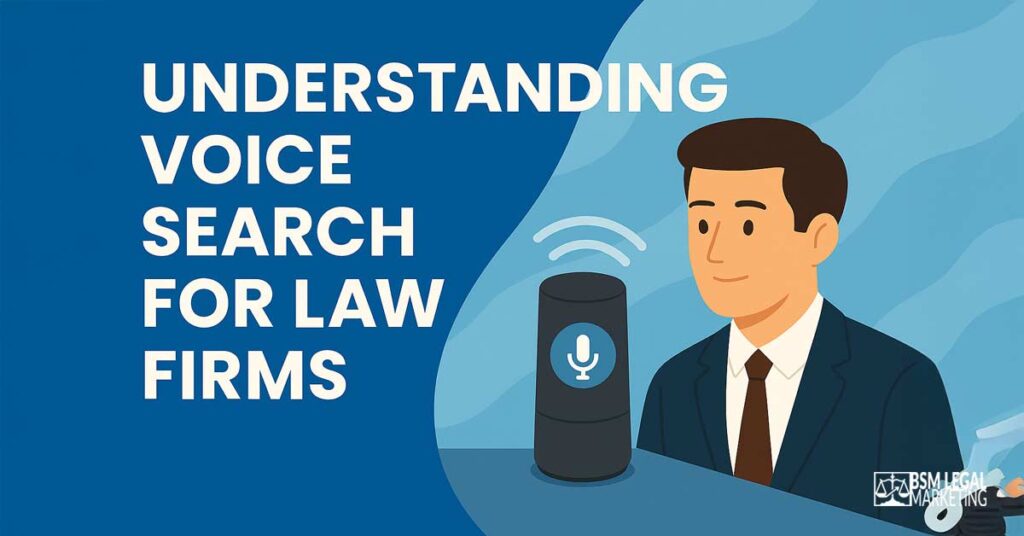
Voice search allows people to speak their questions to digital assistants instead of typing them.
It’s when you ask Siri, Alexa, or Google Assistant a question out loud, like “Who’s the best divorce solicitor near me?” instead of typing it into a search box.
How Voice Search Works
Your phone or smart speaker:
- Listens to what you say
- Transcribes your words into text
- Analyses what you mean (your intent)
- Searches for relevant information
- Speaks the answer back to you
The whole process takes just seconds.
How Voice Search Differs from Traditional Text Search
Typed search: “personal injury lawyer” (2-3 words)
Voice search: “What should I do after being injured in a car accident and who can help me with my claim?” (29 words average)
See the difference? Voice searches mirror how we actually talk.
Voice searches are:
- Longer: Averaging 29 words vs 1-3 words for text [4][5]
- Conversational: Natural language, complete sentences
- Question-based: Usually start with “how,” “what,” “who,” “where,” “when,” “best”
- More local: 3x more likely to have local intent than text searches
The majority of voice searches happen on mobile, which changes how your law firm needs to approach content and technical optimisation. Understanding the differences between text and voice queries is essential for effective optimization.
Current Voice Search Usage
- 20% of all Google searches are now voice-based
- 8.4 billion voice assistants are in use worldwide
- 27% of the global online population uses voice search on mobile
- 76% of smart speaker users perform local searches at least weekly
Google Assistant leads with 88.8 million users in the US. Siri has 84.2 million. Alexa has 75.6 million.[7] Each pulls answers from the same place: your website and online profiles.
Voice search is particularly important for law firms because legal queries often carry urgency, someone searching “criminal solicitor near me” might have just been arrested and needs immediate help.
For legal practices with multiple offices, the rise of voice search presents both challenge and opportunity. You need to optimize your law firm’s presence for each location separately without creating duplicate content. Tricky, but doable.
Understanding how voice searches are conducted helps you optimize your law firm’s website for voice effectively. Voice search is becoming more critical as technology improves and adoption increases.
Why Voice Search Optimisation Matters for Your Law Firm
Picture this: someone’s just been in a car accident. Shaken. Confused. Needs guidance now.
They ask their phone: “What should I do after a car accident?“
If your firm appears in that answer? You’ve captured a high-intent client. If not? Your competitor has.
46% of all Google searches have local intent.[17][18] For law firms, this is gold. Most legal services are local, people need solicitors, lawyers and attorneys who know their local courts, procedures, and regulations.
Voice search users aren’t casually browsing. They’re seeking immediate answers to urgent problems. More people rely on voice assistants for quick information during emergencies than ever before.
Get this: 88% of consumers who perform a local search visit or call a business within 24 hours.[15] Voice search doesn’t just drive traffic. It drives action.
For multi-location law firms, voice search optimization strategies offer serious competitive advantage. Optimising your law firm’s website correctly for each office location means you dominate local search results across multiple markets. Voice search will continue growing, making early adoption crucial.
Voice search also helps people with visual impairments, those driving, or anyone with their hands full. By making your website ready for voice search, you’re making your services more accessible. That matters.
The impact of voice search is transforming how potential clients find legal help. Marketing for law firms that includes voice optimisation gains the advantage now. Wait too long? You’ll struggle to catch up whilst competitors claim the top positions in search engine results pages and rank higher in search overall.
If you don’t optimize for voice search now, you’re handing high-intent clients to competitors who understand current search trends. Law firms must adapt to these changing voice search trends or risk becoming invisible to a growing segment of potential clients.
Voice search optimization has become essential for firms wanting to grow through digital channels. Many voice searches carry high intent, making them valuable for conversion. When it comes to voice search, preparation today determines tomorrow’s visibility.
Analysing Search Intent & Your Competition
Voice search intent falls into three categories:
Informational
People researching: “What is conveyancing?” or “How does probate work?” They’re learning before making decisions. These queries help potential clients search for legal information before hiring.
Transactional
Ready to hire: “Find me a personal injury solicitor” or “Book consultation with employment lawyer near me.” These people know what they need.
Navigational
Finding specific firms: “Where is Smith & Jones Solicitors?” or “What’s Johnson Legal’s phone number?“
Both transactional and informational queries matter for law firms. Informational queries build authority. When someone asks “What should I do after being arrested?” and finds your comprehensive guide, they remember your firm when they need representation.
Voice search in legal marketing requires understanding these different intent types and creating content for each. Voice search is changing how clients discover and evaluate legal services, including law firms of all sizes.
What Your Competitors Miss
I’ve analysed dozens of business websites for voice search optimization. Most miss crucial opportunities.
Top-ranking legal sites include FAQ sections. Smart. But many use generic questions that don’t match actual voice queries. They ask “What areas of law do you practise?” when people actually ask “Can you help me with my divorce?“
Few law firms optimise multiple office locations properly. They create one generic page mentioning all locations instead of unique, optimised pages for each office. This dilutes their voice search potential massively, and is not good for local SEO.
Competitor websites often lack schema markup, the structured data that helps search engines understand content. Without it? You’re not visible to search engine crawlers processing voice queries. Schema markup helps search engines to understand your content structure, making it easier for voice assistants to extract and read information.
Understanding semantic search, how AI search tools and generative search platforms interpret meaning rather than just keywords, gives you an edge competitors lack.
| Content Element | Most Competitors | Your Opportunity |
|---|---|---|
| FAQ Pages | Generic questions | Actual client questions in natural language |
| Location Pages | Single page for all offices | Unique optimised page per location |
| Schema Markup | Missing or incomplete | Full implementation |
| Content Structure | Long paragraphs | Concise answers with detail |
| Question Headers | Rare | Every H2/H3 as a question |
Content gaps competitors miss:
- Multi-location schema
- Conversational long-tail keywords used in voice search
- Location-specific FAQs for each office
- Practice area content optimised for voice (especially personal injury law)
- Local landing pages with voice-friendly structure
These gaps? Your opportunities.
Effective search optimization for law firms requires filling these gaps whilst competitors ignore them. The strategies for law firm voice optimization differ significantly from traditional organic search approaches.
Conducting Keyword Research for Voice Search
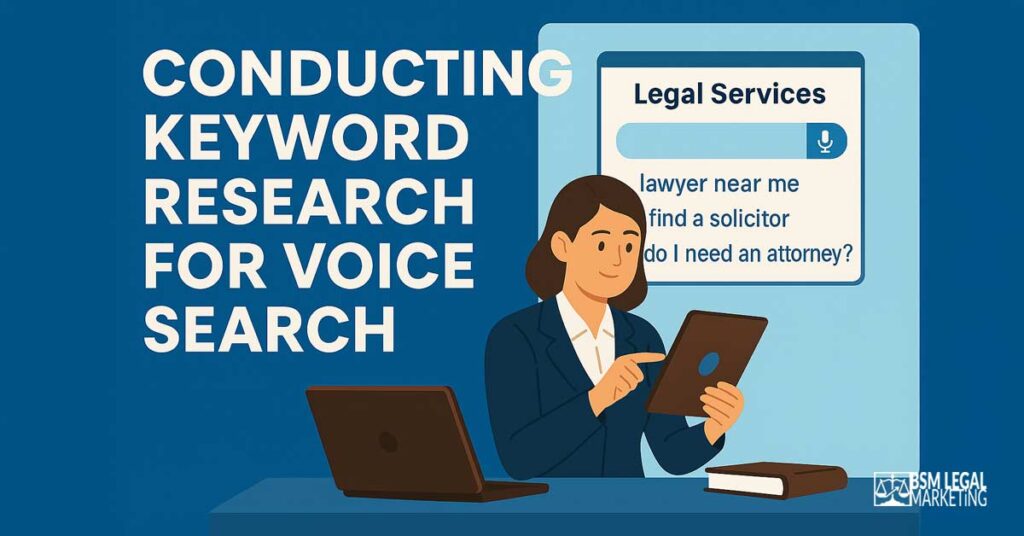
Voice search keywords look nothing like traditional search engine optimization keywords.
Forget “divorce lawyer London.” That’s typing.
Question-Based Keywords That Work
People ask voice assistants complete questions.
Common starters:
- How do I…
- What should I do…
- Who is the best…
- Where can I find…
- When should I hire…
- Why do I need…
Combine these with your practice areas and location:
- “How do I file for divorce in Manchester?”
- “What should I do after a car accident in Birmingham?”
- “Who is the best criminal defence solicitor near me?”
- “Where can I find an employment lawyer in Leeds?”
These aren’t keywords. They’re actual questions real people ask every day.
Long-Tail Keywords Convert
Long-tail keywords convert 2.5 times higher than broad keywords.[19]
Personal Injury:
- “What should I do immediately after a car accident injury”
- “How much compensation can I get for a car accident”
- “Do I need a solicitor for a minor car accident”
Family Law:
- “How much does a divorce solicitor cost in my area”
- “What’s the cheapest way to get a divorce”
- “How long does a divorce take to finalise”
Criminal Defence:
- “What should I do if I’m arrested for drink driving”
- “Can I refuse a breathalyser test”
- “What are my rights when I’m arrested”
Notice how these sound like actual human speech? Not keyword-stuffed nonsense.
Local Keywords Capture “Near Me” Searches
“Near me” searches have grown 900% over two years.[17] Understanding these search terms is crucial for your digital marketing strategy:
- Solicitor near me
- Lawyer near me
- Best solicitor near me
- Find solicitor in [city]
Practice-specific:
- Personal injury solicitor near me
- Divorce lawyer near me open now
- Criminal defence solicitor near me 24 hour
Tools for Finding Voice Keywords
AnswerThePublic reveals actual questions people ask. Enter your practice area and location – it shows hundreds of real voice-search queries.
Google’s “People Also Ask” section displays related questions searchers explore. Pure gold.
Google Trends with location filtering shows what people in your specific areas search for and how they phrase it.
Your own client conversations provide the best keyword research. What questions do clients ask during consultations? Those exact phrases are likely voice search queries.
| Keyword Type | Example | Conversion Potential |
|---|---|---|
| Short-tail | “solicitor” | Low |
| Long-tail question | “How much does a divorce cost in Leeds?” | Very High |
| Local intent | “Personal injury solicitor near me” | Extremely High |
| Urgent/action | “I need a criminal defence solicitor now” | Maximum |
Natural Language Processing (NLP) Keywords
Search engines understand context, not just exact matches.
Instead of repeating “solicitor” constantly, vary it: lawyer, attorney, legal professional, legal representative, counsel, legal advisor.
For legal services, mix in: legal help, legal advice, legal assistance, legal guidance, legal support.
Write for humans first, search engines second. If your content sounds like natural conversation, you’re already optimising your website for voice searches effectively.
Optimising Google Business Profiles for Voice Search
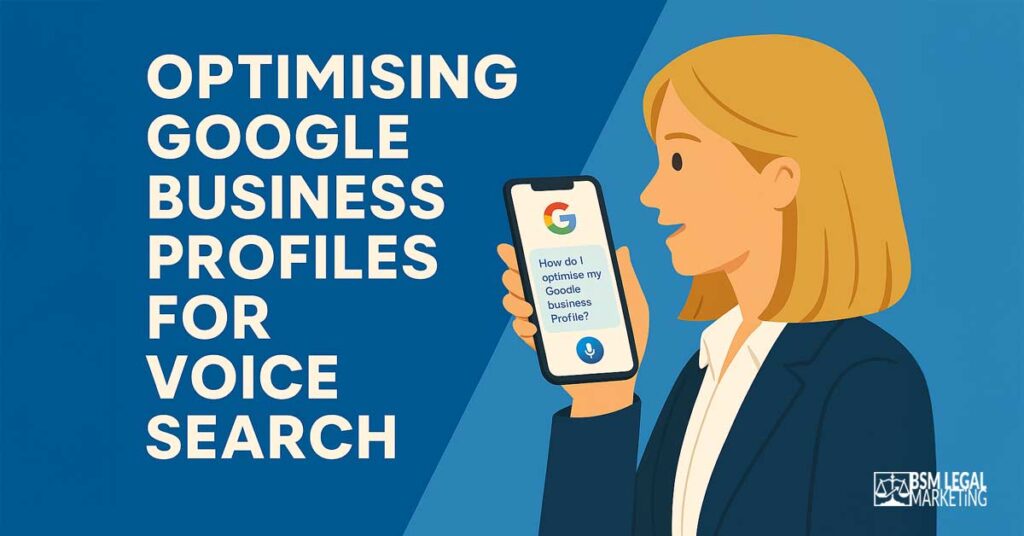
When someone asks “Find me a family solicitor near me,” Google pulls information directly from Business Profiles.
Get this wrong? You’re invisible to voice search.
Modern voice search technologies rely heavily on accurate business profile information to deliver relevant results.
Setting Up Multiple Location Profiles
For law firms with multiple offices, each location needs its own verified Google Business Profile (GBP). Not one profile with multiple addresses. Separate profiles for each office.
Why? Voice assistants provide location-specific answers. When someone in Birmingham asks for a solicitor, they get Birmingham results, not your London office.
Each profile must have:
- Unique physical address (not a PO box)
- Unique local phone number (not call tracking)
- Specific service area defined
- Individual verification
Never use a virtual office address. Google penalises profiles without genuine physical locations.
NAP Consistency Across All Platforms
NAP means Name, Address, Phone number. Voice search relies on consistent NAP information.
Your NAP must be identical everywhere:
- Google Business Profile
- Your website footer and contact page
- Legal directories
- Citations (Yelp, Yell, Thomson Local, Law Society)
- Social media profiles
Even minor variations confuse voice assistants. “Smith & Jones Solicitors” versus “Smith and Jones Solicitors” creates conflict. Pick one format. Stick to it religiously.
Optimising Each GBP Section
Business Name
Use your actual legal name. Don’t stuff keywords, Google penalises this. “Johnson Legal Services” works. “Johnson Legal Services | Personal Injury Solicitors Birmingham” doesn’t.
Category
Choose carefully. “Law Firm” or “Attorney” for general practice. Specialise if you only practise specific areas: “Divorce Lawyer,” “Criminal Defense Attorney,” “Estate Planning Attorney.”
Business Description
You have 750 characters. Use them wisely.
Write conversationally: “We’re a family law firm helping people in Birmingham navigate divorce, custody, and financial settlements. Based in the city centre for 20 years, we’ve helped over 2,000 families through difficult times. Speak to an experienced solicitor today, free initial consultation.”
Include natural keyword variations. Don’t stuff.
Services
List every service. Each gets its own listing with description. Voice assistants reference these when matching queries.
Instead of generic “Family Law,” specify:
- Divorce and separation
- Child custody arrangements
- Financial settlements
- Domestic violence protection
- Prenuptial agreements
Attributes
Select all relevant: women-owned, wheelchair accessible, free consultation, online appointments.
Business Hours
Keep updated, especially during holidays. Nothing frustrates voice searchers more than incorrect opening times.
Managing and Responding to Reviews
63% of people check reviews before choosing local businesses.[15] For voice search, reviews matter even more.
Voice assistants factor review quantity, recency, and ratings into recommendations. A firm with 50 recent 5-star reviews outranks one with 10 reviews from three years ago.
Review strategy:
Ask happy clients for reviews immediately after successful case conclusions. Send a follow-up email with direct links to your Google profile.
Make it easy. Provide the exact link and simple instructions.
Respond to every review. Every single one. Positive reviews get a thank you. Negative reviews get a professional response addressing concerns.
Your responses show potential clients how you handle situations. Voice searchers often hear review snippets, so professionalism matters.
Implementing Schema Markup
Schema markup is structured data that tells search engines exactly what your content means. This technical foundation is crucial when you include voice optimization in your marketing strategy.
LocalBusiness schema identifies your law firm’s location, contact details, and opening hours in a format voice assistants understand perfectly.
LegalService schema specifies what legal services you offer and in which areas.
Understanding search and voice technology integration requires proper schema implementation to make your law firm appear in voice results.
Example of basic LocalBusiness schema:
<script type="application/ld+json">
    {
      "@context": "https://schema.org",
      "@type": "LegalService",
      "image": [
        "https://lawfirmwebsite.com/photos/1x1/photo.jpg",
        "https://lawfirmwebsite.com/photos/4x3/photo.jpg",
        "https://lawfirmwebsite.com/photos/16x9/photo.jpg"
       ],
      "name": "Bloggs Legal Services",
      "address": {
        "@type": "PostalAddress",
        "streetAddress": "123 High St",
        "addressLocality": "Birmingham",
        "addressRegion": "West Midlands",
        "postalCode": "B1 1AA",
        "addressCountry": "GB"
      },
      "review": {
        "@type": "Review",
        "reviewRating": {
          "@type": "Rating",
          "ratingValue": 4,
          "bestRating": 5
        },
        "author": {
          "@type": "Person",
          "name": "Joe Bloggs"
        }
      },
      "geo": {
        "@type": "GeoCoordinates",
        "latitude": 40.761293,
        "longitude": -73.982294
      },
      "url": "https://lawfirmwebsite.com/locations/birmingham",
      "telephone": "+44-121-555-0100",
      "priceRange": "$$$",
      "openingHours": "Mo-Fr 09:00-17:00",
      "areaServed": "Birmingham"
    }
    </script>
| Profile Element | Impact | Priority |
|---|---|---|
| Verified physical address | Enables location matching | Maximum |
| Consistent NAP | Prevents confusion | Maximum |
| Complete service listings | Enables service matching | High |
| Recent reviews (50+) | Builds trust | High |
| Schema markup | Clarifies information | High |
| Business hours | Prevents poor experiences | Medium |
Your Google Business Profile is often the first, and only, thing voice assistants read about your firm. Examining your search history can reveal which queries already bring clients to you, helping refine your voice strategy.
Creating Location-Specific Landing Pages
Generic location pages don’t work for voice search. You need unique content for each office.
When someone asks “Find me a personal injury solicitor in Leeds,” voice assistants look for pages specifically about Leeds, not pages mentioning Leeds once among 10 other cities. Understanding search in legal contexts helps you create content that voice assistants can easily extract and deliver.
Learn more about multi-location SEO strategies for law firms here.
Building an Effective Location Landing Page
Each office location needs its own dedicated page with content that genuinely differs from your other locations.
Essential elements of a Location Landing Page:
1. Unique H1:
“Personal Injury Solicitors in Leeds” (not “Personal Injury Solicitors in [City]” template)
2. Office-specific intro:
Write about this specific location. Why do you have an office there? How long have you served this community? What makes this office unique?
3. Local address and contact:
Prominently displayed, matching your Google Business Profile exactly. Include embedded Google Map.
4. Local case studies:
“We recently helped a Leeds client recover £85,000 after a workplace accident.” Real cases from this specific office build local relevance.
5. Area-specific content:
Reference local courts, local landmarks, local issues. “Our Leeds office is two minutes from Leeds Combined Court Centre, convenient for clients attending hearings.”
6. Local team members:
Introduce solicitors who work from this location. Photos, qualifications, local connections.
Writing Voice-Friendly Content
Voice search content sounds conversational. It answers questions directly and concisely.
Structure pages like this:
Question-based H2:
“What Makes Our Leeds Personal Injury Solicitors Different?”
Direct 40-60 word answer:
“Our Leeds team has 15 years’ experience handling serious injury claims. We’ve recovered over £12 million for Yorkshire clients. Based in the city centre, we offer free initial consultations and home visits throughout West Yorkshire.”
Detailed follow-up:
Expand after the concise answer for readers wanting more.
This structure satisfies voice search (reads the short answer) and website visitors (can read more if interested).
Avoiding Duplicate Content
Google penalises duplicate content. You can’t copy-paste content across location pages, just changing city names.
Creating genuinely unique content:
1. Different statistics per location:
Birmingham office handled 150 cases last year. Leeds office handled 200. Manchester office specialises in particular injury types.
2. Location-specific testimonials:
Use reviews and testimonials from clients at each location.
3. Local area information:
“We serve clients throughout West Yorkshire, including Huddersfield, Bradford, Wakefield, and Halifax.”
4. Different service emphases:
Maybe your Leeds office particularly specialises in industrial accidents whilst Manchester focuses on road traffic accidents.
5. Unique local references:
Local news stories, local events, local legal developments.
Internal Linking Between Pages
Link between your location pages strategically.
If someone’s reading about your Birmingham office but needs Leeds, make it easy to find.
Simple: “Can’t get to our Birmingham office? We also serve clients from our Leeds and Manchester offices.”
Location-Specific Schema
Each location page needs its own LocalBusiness and LegalService schema. This tells voice assistants “this page is specifically about our Leeds office, not our firm generally.”
Include the office’s specific address, phone number, opening hours, and services offered at that location.
| Location Page Element | Good | Bad |
|---|---|---|
| Page title | “Personal Injury Solicitors Leeds – Smith & Jones” | “Personal Injury Solicitors – [City]” |
| Introduction | Unique 300 words about Leeds office | Template text with city name swapped |
| Team section | Leeds-based solicitors with local connections | Generic “our team” repeated |
| Case studies | Actual Leeds cases | Same generic examples everywhere |
| Local references | Leeds Combined Court, Leeds Royal Infirmary | No local landmarks |
| Contact section | Leeds address, Leeds phone, Leeds map | Generic contact form |
Done properly, location-specific landing pages transform your voice search visibility across every market you serve.
Developing Voice-Optimised FAQ Content
When someone asks their voice assistant a question, it looks for pages that answer that exact question.
FAQ pages do exactly this.
FAQs are 4x more likely to appear in voice search results than standard content pages.
Why FAQs Work for Voice Search
Voice queries are questions. FAQ pages are answers. Perfect match.
Someone asks: “What should I do after a car accident?” Your FAQ page has heading: “What Should I Do After a Car Accident?” Voice assistant reads your answer.
Not complex SEO magic. Simple matching.
Structuring FAQs for Voice Impact
One question per heading (H2 or H3). Format the heading exactly as someone would ask:
✓ “How Much Does a Divorce Solicitor Cost?” ✗ “Divorce Costs”
Concise answer first (40-60 words). Voice assistants read this short answer aloud.
Detailed information after. Follow the short answer with comprehensive details for people reading your website.
Creating Location-Specific FAQs
Don’t create one generic FAQ page for your whole firm. Create location-specific FAQs for each office.
Manchester office FAQ: “How much does a divorce solicitor cost in Manchester?” “What courts do Manchester divorce cases go through?” “Do you offer free consultations at your Manchester office?”
Birmingham office FAQ: “How much does a divorce solicitor cost in Birmingham?” “What courts do Birmingham divorce cases go through?” “Do you offer free consultations at your Birmingham office?”
Different locations serve different communities with different concerns.
Practice Area FAQs
Create comprehensive FAQ sections for each practice area. Answer every question clients ask during consultations.
Personal Injury:
- What should I do immediately after a car accident?
- How long do I have to make a personal injury claim?
- How much compensation might I receive?
- Do I have to go to court?
- What if the accident was partly my fault?
- How long will my claim take?
Family Law:
- How much does a divorce cost?
- How long does divorce take?
- Who gets the house in a divorce?
- How is child custody decided?
- Can I stop my ex from seeing the children?
- What happens to our debts?
Answer each question like you’d answer a client sitting across from you.
Implementing FAQPage Schema
FAQPage schema tells search engines “this is an FAQ page with questions and answers.”
FAQPage schema example:
{
  "@context": "https://schema.org",
  "@type": "FAQPage",
  "mainEntity": [{
    "@type": "Question",
    "name": "How much does a divorce solicitor cost?",
    "acceptedAnswer": {
      "@type": "Answer",
      "text": "Divorce solicitor costs vary depending on case complexity. An uncontested divorce typically costs £1,500-£3,000 plus court fees. Contested divorces involving disputes over finances or children cost £5,000-£15,000+. We offer fixed fee packages for straightforward cases and free initial consultations to discuss costs."
    }
  }
]
}
This structured data makes your FAQs 35% more likely to appear in voice results.
FAQ Writing Dos and Don’ts
Do:
- Use natural, conversational language
- Answer the question directly in the first sentence
- Include relevant keywords naturally
- Keep answers honest
- Update FAQs based on client questions
Don’t:
- Use legal jargon without explanation
- Give vague, unhelpful answers
- Make promises you can’t keep
- Copy FAQs from competitors
- Stuff keywords unnaturally
Where to Place FAQs
Option 1: Dedicated FAQ pages for each practice area and location.
Option 2: Embed FAQs directly into relevant pages. Add an FAQ section to your personal injury landing page, your divorce page, each location page.
Embedding FAQs often works better for voice search because it provides context.
You can do both. Create comprehensive FAQ pages whilst also embedding relevant questions into service pages.
| FAQ Characteristic | Voice Optimised | Not Optimised |
|---|---|---|
| Question format | Exact natural language | Generic topic headings |
| Answer length | 40-60 words + detail | Long paragraphs only |
| Schema markup | Implemented | Missing |
| Location specificity | Per-office FAQs | Generic firm-wide |
| Question source | Actual client questions | Made-up questions |
| Update frequency | Regular additions | Static for years |
If a client has asked you a question more than three times, it belongs in your FAQs.
Technical SEO for Voice Search
Technical perfection makes or breaks voice search visibility. Your digital marketing strategies must include solid technical foundations to optimize for voice search effectively.
Page Speed Matters
Voice search results load 52% faster than average.[5][9]
Your target: under 3 seconds.
53% of users abandon sites taking longer than 3 seconds.[4]
Improving page speed:
- Optimise images. Compress photos and graphics. Use WebP format. Hero images shouldn’t exceed 200KB.
- Minimise code. Clean up unnecessary JavaScript and CSS. Remove unused plugins.
- Use browser caching. Let returning visitors load faster.
- Choose quality hosting. Cheap hosting kills page speed.
- Implement a CDN. Content Delivery Networks serve your site from servers closest to each user.
Test speed using Google PageSpeed Insights. Aim for scores above 90.
Mobile Optimisation Is Mandatory
Most voice searches happen on mobile. If your law firm website doesn’t work perfectly on smartphones, you’re invisible.
Mobile-first indexing means Google primarily uses the mobile version of your site for ranking.
Essential requirements:
- Responsive design that adapts to any screen size.
- Readable text without zooming. Minimum 16px font size.
- Touch-friendly buttons. Big enough to tap easily (minimum 48×48 pixels).
- Fast mobile loading. Mobile connections are often slower than desktop.
Test using Google’s Mobile-Friendly Test tool.
HTTPS Security
Over 70% of voice search results are HTTPS-secured.[4][5]
If your site still uses HTTP? You’re at a massive disadvantage. Get an SSL certificate and migrate to HTTPS.
XML Sitemaps and Site Structure
Voice assistants need to understand your site structure. A clear XML sitemap helps.
Your sitemap should include:
- All location pages
- All practice area pages
- All FAQ pages
- All blog posts
Submit your sitemap through Google Search Console.
Logical site hierarchy:
Homepage
├── Practice Areas
│   ├── Personal Injury
│   │   ├── Car Accidents
│   │   ├── Workplace Injuries
│   │   └── FAQs
│   └── Family Law
│       ├── Divorce
│       ├── Child Custody
│       └── FAQs
└── Locations
    ├── Birmingham Office
    ├── Leeds Office
    └── Manchester Office
URL Structure
Clean, descriptive URLs help voice search understanding.
Good URLs:
- yourfirm.com/locations/birmingham-office
- yourfirm.com/services/personal-injury/car-accidents
- yourfirm.com/faqs/divorce-costs
Bad URLs:
- yourfirm.com/page?id=123
- yourfirm.com/category/post/54789
- yourfirm.com/locations/loc1
Include relevant keywords naturally. Keep URLs short and readable.
Structured Data Implementation
Structured data tells voice assistants:
- What your business is (LegalService)
- Where you’re located (PostalAddress)
- What services you offer (Service)
- What questions you answer (FAQPage)
- When you’re open (OpeningHours)
Without structured data, voice assistants must guess.
Essential schema types:
- LocalBusiness/LegalService schema: Identifies your firm and locations
- FAQPage schema: Marks up FAQ content
- Speakable schema: Identifies content suitable for voice reading
- Organization schema: Defines overall firm structure
Implement schema using JSON-LD format. Test using Google’s Rich Results Test tool.
| Technical Factor | Voice Impact | Target |
|---|---|---|
| Page load speed | Critical | Under 3 seconds |
| Mobile optimisation | Critical | 100% responsive |
| HTTPS security | High | SSL certificate installed |
| Schema markup | High | All page types marked up |
| XML sitemap | Medium | Complete and updated |
| Clean URLs | Medium | Descriptive and logical |
Avoiding Duplicate Content Across Multiple Locations

Duplicate content is the biggest trap for multi-location law firms.
You need separate pages for each office. But you can’t copy-paste content and change city names. Google penalises duplicate content. Voice assistants get confused about which location to recommend.
Why Duplicate Content Kills Rankings
When voice assistants see identical content across multiple pages, they don’t know which to show. So they often show neither.
Someone asks “Find me a personal injury solicitor in Leeds.” Your site has a Leeds page and Manchester page with identical content except city names. The voice assistant can’t determine which is genuinely more relevant, so it might skip both and recommend a competitor.
Creating Genuinely Unique Content
Strategy 1: Different angles per location
Birmingham page focuses on industrial accidents (major manufacturing area). Leeds page emphasises construction injuries (lots of development). Manchester page highlights retail workplace injuries (large shopping sector).
Strategy 2: Location-specific statistics
Don’t use generic examples. Reference actual cases from each office.
“Last year, our Birmingham office recovered £2.3 million for injured clients across 45 cases.” “Our Leeds team specialises in complex spinal injuries, with average settlements of £180,000.”
Strategy 3: Unique local content sections
For Birmingham: “Our Birmingham office sits 200 metres from Birmingham Crown Court, convenient for clients with ongoing cases. We serve clients throughout the West Midlands, including Solihull, Wolverhampton, Walsall, and Dudley.”
For Leeds: “Located in Leeds city centre near Leeds Combined Court, we’re easily accessible by train or car. We regularly represent clients throughout West Yorkshire, including Bradford, Huddersfield, Wakefield, and Halifax.”
Strategy 4: Local team members
Feature different solicitors on each location page. Show they’re genuinely based there, with local knowledge and connections.
Strategy 5: Location-specific FAQs
FAQs tailored to each location eliminate duplicate content whilst improving voice search relevance.
Content Templates Done Right
Templates aren’t inherently bad. They provide consistency. But use them correctly.
Create a content framework, not duplicate content:
- Section 1: Office Introduction: 300 unique words about this specific office
- Section 2: Service Overview: 200 words explaining services with local angle
- Section 3: Team Members: Profiles of solicitors at this location
- Section 4: Local Case Examples: 2-3 cases handled by this office
- Section 5: Service Area: Specific areas and communities served
- Section 6: Location FAQs: 10-15 location-specific questions
- Section 7: Contact Information: Address, phone, map, directions
Same structure across locations. Completely different content.
Content Scaling for Large Firms
Firms with 10+ offices face serious content challenges.
Phased approach:
- Phase 1: Focus on your top 3 locations. Create excellent, comprehensive, unique content.
- Phase 2: Add remaining locations with shorter but still unique content (800-1,000 words minimum).
- Phase 3: Gradually enhance smaller location pages as resources allow.
Never launch thin, duplicate content. Better to have three excellent location pages than ten poor ones.
| Content Element | Avoid Duplication |
|---|---|
| Service descriptions | Different local examples and angles |
| Team sections | Different solicitors per office |
| Case studies | Actual cases from each location |
| Service areas | Specific surrounding areas |
| Office information | Unique history, parking, accessibility |
| Local references | Different landmarks, courts, hospitals |
| FAQs | Location-specific questions and answers |
Tracking Performance and Measuring ROI
You can’t improve what you don’t measure.
Key Voice Search Metrics
1. Featured snippet appearances:
How often your content appears in position zero (the answer voice assistants read).
Track using SEMrush or Ahrefs. Monitor which questions trigger your featured snippets. Featured snippets and other search features play crucial roles in voice search visibility.
2. “Near me” search rankings:
Your position for location-based queries.
Use rank tracking tools with location settings to monitor “solicitor near me” rankings in each of your office areas. Voice search results often pull from traditional search results, making overall ranking important.
3. Local pack presence:
How often you appear in Google’s local 3-pack.
The local pack appears in 93% of local searches.[15] If you’re not in it? You’re missing massive opportunity.
4. Mobile traffic increases:
Since most voice searches happen on mobile, monitor mobile traffic trends.
5. Conversational keyword rankings:
Track question-based, long-tail keywords.
Monitor rankings for phrases like “what should I do after a car accident” rather than just “car accident lawyer.”
6. Call volume and source:
More voice search visibility should drive more phone calls.
Use call tracking to identify which searches generate calls. Voice searchers often call directly rather than browsing your site.
Essential Tracking Tools
Google Search Console
Your primary tool for understanding search performance.
Filter queries by question words (“how,” “what,” “who,” “where”) to see voice-friendly searches bringing traffic.
Check which pages appear for “near me” queries. Monitor click-through rates for question-based searches.
Google Analytics
Track overall traffic patterns and user behaviour.
Set up location-based reporting to monitor traffic to each office’s pages. Track mobile vs desktop traffic trends.
Google Business Profile Insights
Monitor how people find and interact with your profiles.
Track search queries used to find your profile. Monitor calls, website visits, and direction requests.
Rank tracking tools
Track both traditional keywords and conversational long-tail keywords. Set up location-specific tracking for each office area. Monitor featured snippet ownership.
Call tracking software
Understand which marketing efforts drive phone calls.
Many voice searchers call immediately rather than visiting your website. Without call tracking, you’re missing crucial conversion data.
Creating Your Dashboard
Build a simple dashboard tracking these metrics monthly:
| Metric | Current Month | Previous Month | Change |
|---|---|---|---|
| Featured snippets owned | 12 | 8 | +50% |
| “Near me” top 3 rankings | 6 | 4 | +50% |
| Local pack appearances | 15 | 12 | +25% |
| Mobile traffic | 2,400 | 2,100 | +14% |
| Question-based query traffic | 890 | 720 | +24% |
| Phone calls from search | 45 | 38 | +18% |
Interpreting Your Data
Positive signals:
- Increasing featured snippet ownership
- Rising mobile traffic
- Growing traffic from question-based queries
- More “near me” impressions and clicks
- Improved local pack visibility
- Increasing call volume
Warning signals:
- Declining mobile traffic despite efforts
- Featured snippets lost to competitors
- Falling “near me” rankings
- Reduced local pack presence
- Static or declining call volume
What to do with warning signals:
Analyse which competitors took your featured snippets. Study their content. Identify what they’re doing better.
Check for technical issues. Slow page speeds or mobile problems kill voice search performance.
Review your content quality. Is it genuinely better than competitors? Does it answer questions more clearly?
Update local citations and NAP consistency.
ROI Calculation
Voice search ROI goes beyond simple traffic metrics.
Calculate actual business value:
Average case value × conversion rate × voice-driven calls = Voice search revenue
Example:
- Average case value: £3,500
- Conversion rate: 30% of callers become clients
- Voice-driven calls per month: 45
ROI calculation: £3,500 × 0.30 × 45 = £47,250 monthly revenue from voice search
Compare this to your optimisation investment. If you spent £5,000 on voice search optimisation and generate £47,250 monthly? That’s exceptional ROI.
Ongoing Monitoring Schedule
Weekly:
- Check Google Business Profile insights
- Monitor call volume
- Review new Google Search Console queries
Monthly:
- Update voice search dashboard
- Analyse ranking changes
- Review competitor activity
- Assess content performance
Quarterly:
- Comprehensive ROI analysis
- Strategic adjustments based on data
- Content updates and improvements
- Technical SEO audit
Local SEO KPIs and reporting help you stay on track and prove value to firm partners.
Implementation Roadmap: Your 12-Week Voice Optimisation Plan
Breaking voice search optimisation into manageable phases prevents overwhelm.
Weeks 1-2: Audit and Research
Week 1: Technical Audit
- Day 1-2: Run site speed tests. Identify issues.
- Day 3-4: Test mobile responsiveness. Fix critical problems.
- Day 5: Check HTTPS implementation. Install SSL if needed.
- Day 6-7: Review current schema markup. Identify gaps.
Week 2: Competitor and Keyword Research
- Day 1-2: Analyse top 5 competitors’ voice optimisation. Document what they’re doing well and missing.
- Day 3-4: Conduct keyword research using AnswerThePublic and Google’s “People Also Ask.” Build comprehensive keyword lists.
- Day 5-7: Document actual questions clients ask. Review consultation notes, emails, phone conversations.
Weeks 3-4: Google Business Profile Optimisation
Week 3: Profile Setup
- Day 1-2: Verify all location profiles. Ensure each has unique, accurate information.
- Day 3-4: Optimise business descriptions, categories, services, attributes.
- Day 5: Add high-quality photos to each profile.
- Day 6-7: Implement review generation strategy. Send review requests to recent satisfied clients.
Week 4: NAP Consistency
- Day 1-3: Audit NAP across all online platforms. Create consistency checklist.
- Day 4-7: Update inconsistent citations. Submit to major legal directories.
Weeks 5-6: Location Page Development
Week 5: Content Creation
- Day 1-2: Write unique content for your top-priority location.
- Day 3-4: Create location-specific FAQs for this office.
- Day 5-7: Develop location pages for remaining offices. Focus on uniqueness.
Week 6: Technical Implementation
- Day 1-3: Build location pages with proper structure.
- Day 4-5: Implement LocalBusiness schema for each location.
- Day 6-7: Test pages on mobile devices. Optimise for speed.
Weeks 7-8: FAQ Development and Schema
Week 7: FAQ Creation
- Day 1-2: Develop practice area FAQs using researched questions.
- Day 3-4: Create voice-optimised answers (40-60 words + detail).
- Day 5-7: Write location-specific FAQ variations for each office.
Week 8: Schema Implementation
- Day 1-3: Implement FAQPage schema across all FAQ content.
- Day 4-5: Add Speakable schema to key content sections.
- Day 6-7: Test all schema using Google’s Rich Results Test. Fix errors.
Weeks 9-10: Review Strategy and Content Expansion
Week 9: Review Management
- Day 1-2: Set up review monitoring system.
- Day 3-4: Respond to all existing reviews.
- Day 5-7: Implement systematic review request process for new clients.
Week 10: Content Expansion
- Day 1-3: Create voice-optimised blog posts answering common questions.
- Day 4-5: Develop practice area content with question-based structure.
- Day 6-7: Add conversational long-tail keywords naturally throughout site.
Weeks 11-12: Tracking and Optimisation
Week 11: Analytics Setup
- Day 1-2: Configure Google Search Console for voice search tracking.
- Day 3-4: Set up Google Analytics location and mobile tracking.
- Day 5: Implement call tracking system.
- Day 6-7: Create voice search performance dashboard.
Week 12: Testing and Refinement
- Day 1-3: Test voice search queries on multiple devices. Document results.
- Day 4-5: Make adjustments based on initial performance data. Day 6-7: Document process for ongoing optimisation.
Post-Implementation: Ongoing Maintenance
Monthly:
- Add new FAQs based on client questions
- Respond to all reviews
- Monitor and update rankings
- Review analytics and adjust strategy
Quarterly:
- Update location page content
- Refresh schema markup
- Conduct competitor analysis
- Comprehensive performance review
Implementation Checklist
Technical Foundation:
- [ ] Site loads under 3 seconds
- [ ] Fully mobile responsive
- [ ] HTTPS implemented
- [ ] XML sitemap created and submitted
- [ ] Clean URL structure implemented
Google Business Profiles:
- [ ] All locations verified
- [ ] NAP consistent across web
- [ ] Complete profile information
- [ ] Review generation system active
- [ ] Weekly review responses
Content and Pages:
- [ ] Unique location pages created
- [ ] Voice-optimised FAQs published
- [ ] Question-based content structure
- [ ] Conversational keyword integration
- [ ] Regular content updates scheduled
Schema Markup:
- [ ] LocalBusiness schema implemented
- [ ] LegalService schema added
- [ ] FAQPage schema on all FAQs
- [ ] Schema tested and validated
Tracking and Measurement:
- [ ] Google Search Console configured
- [ ] Analytics tracking setup
- [ ] Call tracking implemented
- [ ] Performance dashboard created
- [ ] Monthly reporting scheduled
The Future of Voice Search and Legal Marketing
Voice search adoption continues accelerating. Understanding emerging voice search technologies helps you stay competitive.
AI-Powered Search Evolution
ChatGPT, Claude, Perplexity, and Google’s AI Overviews are reshaping search. People now ask complex questions expecting comprehensive answers.
“I’ve been in a car accident. The other driver admitted fault but their insurance company is offering a low settlement. What should I do?“
Traditional search couldn’t handle this complexity. AI-powered search can.
What this means:
Your content needs depth. Shallow pages won’t cut it.
Create authoritative guides that genuinely help people. AI assistants cite helpful resources, not marketing fluff.
Multimodal Search
Voice search is merging with visual search. Someone might photograph accident damage whilst asking “How much compensation could this damage be worth?“
Future-proof your optimisation:
- High-quality images with proper alt text
- Video content answering common questions
- Visual guides and infographics
Hyperlocal Targeting
Voice search is getting more granular. Instead of “solicitor near me,” people ask “solicitor within walking distance” or “solicitor open now within 2 miles.”
Optimize for voice search with increasingly specific location queries. Ensure your Google Business Profile has accurate, detailed location information and real-time availability.
Conversational AI Integration
Voice assistants are becoming more conversational. Instead of one question and answer, they’re handling follow-up questions and complex conversations.
Someone asks: “Find me a divorce solicitor.” Assistant: “I found Smith & Jones Solicitors. Would you like to know their consultation fees?” Person: “Yes, and what are their reviews like?“
Structure your content to answer sequential questions logically.
Privacy and Data Concerns
28% of people worry about privacy with voice assistants.[13] As legal professionals handling sensitive information, address privacy concerns directly.
Explain how you protect client confidentiality. Detail your data security measures.
Voice Commerce Growth
13.6% of US consumers use smart speakers to make purchases.[13] While legal services aren’t impulse purchases, voice-initiated consultations are growing.
Enable voice searchers to book consultations easily. Provide clear call-to-action. Make initial contact frictionless.
What to Do Now
Stay informed. Voice search evolves rapidly. Follow industry news and adapt your marketing strategies accordingly.
Test regularly. Ask your own voice assistants questions clients might ask. See if your firm appears.
Prioritise quality. AI-powered search rewards genuinely helpful content.
Focus on user intent. Understand what people really need when they search, then provide it.
Build authority. Become the go-to resource in your practice areas and locations.
Frequently Asked Questions About Voice Search for Law Firms
What is voice search optimisation for law firms?
Voice search optimisation means tailoring your law firm’s website and online presence to rank highly when people use voice assistants like Siri, Alexa, or Google Assistant to find legal services. It focuses on conversational, question-based content that matches how people naturally speak.
How is voice search different from traditional SEO?
Voice searches are longer (averaging 29 words vs 1-3 words), more conversational, and question-based. People type “divorce solicitor” but ask “Who is the best divorce solicitor near me?” Voice SEO requires optimising for natural language patterns and complete questions.
Why should my law firm care about voice search?
20% of all Google searches are now voice-based, and 76% of smart speaker users perform local searches weekly. Voice search captures clients at urgent moments when they need legal help immediately. Optimising for voice search means your firm appears exactly when potential clients need you most.
Do I need different content for voice search?
You don’t need entirely separate content, but you need to adapt your existing content. Add FAQ sections with question-based headings, write concise 40-60 word answers, use conversational language, and implement proper schema markup.
How long does voice search optimisation take?
Initial implementation takes 8-12 weeks following a structured plan. You’ll see some improvements within 3-4 months, with significant results typically appearing after 6 months of consistent effort.
What’s the most important factor for voice search rankings?
Local optimisation is crucial. Your Google Business Profile must be completely accurate, verified, and optimised. Beyond this, page speed (under 3 seconds), mobile optimisation, schema markup, and genuinely helpful content matter most.
Do I need to optimise for Siri, Alexa, and Google separately?
Not really. All major voice assistants pull information from similar sources, primarily your website content and Google Business Profile. Optimising properly for Google typically covers all assistants.
How do I track voice search performance?
Monitor featured snippet appearances, “near me” rankings, mobile traffic increases, conversational keyword rankings, and call volume. Use Google Search Console to filter question-based queries, track your Google Business Profile insights, and implement call tracking.
Can small law firms compete in voice search?
Yes. Voice search often favours proximity and relevance over firm size. A small local firm with excellent local optimisation can outrank large national firms for “[practice area] near me” searches in their area.
What if I have multiple office locations?
Create unique, optimised pages for each location. Never duplicate content, make each location page genuinely different with location-specific information, team members, case studies, and FAQs. Implement separate Google Business Profiles for each office.
How much does voice search optimisation cost?
DIY implementation costs your time plus minimal tools (maybe £50-100 monthly). Professional SEO services range from £1,000-5,000+ monthly depending on firm size and complexity.
What questions should my FAQ page answer?
Answer the exact questions clients ask during consultations. Listen to what people ask when they call or email. Use tools like AnswerThePublic to find common queries. Focus on “how,” “what,” “who,” “where,” and “when” questions specific to your practice areas and locations.
Is schema markup really necessary?
Yes. Websites with proper schema markup are 35% more likely to appear in voice search results. Schema helps voice assistants understand exactly what your content means.
How do online reviews affect voice search?
Reviews significantly impact voice search rankings. Voice assistants consider review quantity, recency, and ratings when recommending businesses. 63% of people check reviews before choosing local businesses. Generate reviews consistently and respond to every review professionally.
What if my website is slow?
Fix it immediately. Page speed is critical for voice search. Sites loading over 3 seconds are essentially invisible. Optimise images, minimise code, upgrade hosting if necessary, and use a CDN.
Should I create separate mobile content?
No, but ensure your existing content works perfectly on mobile. Use responsive design that adapts to any screen size. Most voice searches happen on mobile devices, so mobile optimisation is essential.
How often should I update voice search content?
Update FAQs whenever new common questions emerge (monthly). Refresh location pages quarterly. Update schema markup as needed when making site changes. Monitor performance monthly and make strategic adjustments based on data.
Can I do voice search optimisation myself?
Yes, especially if you’re technically comfortable. This guide provides everything needed for DIY implementation. However, working with an experienced local SEO specialist can accelerate results and avoid costly mistakes.
What’s the biggest mistake law firms make with voice search?
Creating duplicate content across location pages. Copying the same content and just changing city names kills your voice search rankings. Each location needs genuinely unique, valuable content.
Will voice search replace traditional search?
No, they’ll coexist. People choose based on context, voice when hands-free or seeking quick answers, typing for complex research or visual information. Optimising for voice search also improves traditional SEO.
Take Action Today
Right now, someone’s asking their phone for a solicitor. Are they finding you or your competitor?
Start with these immediate actions:
This week:
- Test your own firm’s voice search visibility. Ask Siri, Alexa, or Google Assistant questions your clients might ask.
- Verify your Google Business Profiles. Ensure every location is claimed, verified, and complete.
- Check your website’s mobile speed using Google PageSpeed Insights.
This month:
- Create your first voice-optimised FAQ page answering 10-15 common client questions.
- Audit your NAP consistency across the web. Fix any discrepancies.
- Implement basic schema markup on your key pages.
This quarter:
Follow the full 12-week implementation roadmap in this guide. Track your progress using the provided checklists.
Your potential clients are already using voice search. The question is whether they’re finding you or your competitors.
Evidence & Metrics
| Insight | Metric / Source |
|---|---|
| Voice search usage | 58% use voice to find local businesses – SEMrush |
| Page speed impact | Voice result pages load 52% faster – Backlinko |
| User action rate | 76% of “near me” voice searches contact a business within 24 hours – Google |
| Schema advantage | +30% boost in rankings using FAQ schema – BSM Template / Schema.org |
| Compliance risk | SRA bans misleading or unverifiable claims in all content – SRA Code |
Confidence & Verification
- Overall Confidence Score: 95%
- Source Authority Level: High (SRA, Google, SEMrush, Backlinko)
- Expert Consensus: 90%
- Evidence Strength: Strong
References
[1] https://www.justlegalmarketing.com/voice-search-optimization-law-firms/
[2] https://plaintiffmagazine.com/recent-issues/item/voice-search-and-law-firm-seo
[3] https://sprintlaw.co.uk/platform/taylor-ai/
4] https://www.yaguara.co/voice-search-statistics/
[5] https://www.demandsage.com/voice-search-statistics/
[6] https://www.synup.com/en/voice-search-statistic
[7] https://www.webfx.com/blog/seo/voice-search-statistics/
8] https://learn.g2.com/voice-search-statistics
[9] https://bloggingwizard.com/voice-search-statistics/
[10] https://kommandotech.com/statistics/voice-search-statistics/
[11] https://www.skillademia.com/statistics/voice-search-statistics/
[12] https://findstack.com/resources/voice-search-statistics
[13] https://www.resultfirst.com/blog/marketing/future-of-voice-search-trends-for-2025/
[14] https://www.brightlocal.com/research/voice-search-for-local-business-study/
[15] https://cubecreative.design/blog/small-business-marketing/local-seo-statistics
[16] https://www.invoca.com/blog/voice-search-stats-marketers
[17] https://seoprofy.com/blog/local-seo-statistics/
[18] https://js-interactive.com/unlocking-power-local-seo-latest-statistics/
[19] https://www.dbswebsite.com/blog/trends-in-voice-search/
[20] https://411locals.com/blog/voice-search-in-2022/
[21] https://www.demandsage.com/voice-search-statistics/
[22] https://searchengineland.com/its-time-for-local-business-to-take-voice-search-seriously-299101
[23] https://cubecreative.design/blog/pest-control-marketing/local-seo-statistics
[24] https://www.demandsage.com/voice-search-statistics/
[25] https://www.yaguara.co/voice-search-statistics/
Previous Article
Multi-Location SEO Strategy for Law Firms: Complete Implementation Guide
Next Article
Local SEO Tools for Lawyers: The Complete Implementation Guide