
The Code That’s Putting Your Competitors on Page One While You’re Invisible
AI-Overview Optimised
Schema Markup for Local SEO — Law Firms
Keyboard-friendly tabs. Mobile-ready. Compliance-aware.
Use LegalService (a LocalBusiness subtype) per location with name, address, telephone, url, geo and openingHours. Link sameAs. Don’t add self-serving stars. Validate and monitor.
What to add (law-firm friendly)
- Type: [“LocalBusiness”,”LegalService”].
- Fields: name, address, telephone, url, geo (lat/long), openingHoursSpecification.
- Link entity: sameAs → GBP, regulator/profile pages, socials.
- Keep markup consistent with visible page content.
Google lists required/recommended fields for LocalBusiness and supports using the most specific subtype available.
A solicitor down the road is getting twice your enquiries from Google. Same city. Same practice areas. Same Google Business Profile efforts.
The difference? They’re speaking Google’s language through schema markup.
If you’re not using it, you’re fighting for visibility with one hand tied behind your back. This guide shows you exactly how to implement the structured data that helps search engines understand your law firm, display your details in rich results, and put you ahead of competitors.
If you competition is beating you, you need to understand how competitor analysis can give your law firm the edge.
What is Schema Markup and Why Should Law Firms Actually Care?
Schema markup is code you add to your website that tells search engines exactly what your content means [19].
Think of it this way. When you read “105 High St, London, EC1 6YS,” you know it’s an address. But search engines don’t automatically understand context. They see text. Schema markup translates that text into structured data that Google, Bing, and other search engines can read and understand instantly.
For law firms, this matters because legal services fall into what Google calls “Your Money or Your Life” (YMYL) content [18]. These are topics where accuracy and credibility are critical. Google demands higher standards for ranking YMYL pages, which means you need every advantage you can get.
Schema markup gives you three immediate benefits:
- Enhanced search appearance: Your listing can display star ratings, opening hours, and practice areas directly in search results
- Better local pack visibility: Structured data helps Google determine relevance for location-based searches
- Voice search optimization: When someone asks their phone “find me a family solicitor near me,” schema helps Google answer with your details
Implementing schema markup is a fundamental part of any effective SEO strategy for law firms, working alongside your content and link-building efforts to enhance your law firm’s online visibility.
The UK legal market is worth over £44 billion, and 96% of people seeking legal advice start with an online search [8]. If your structured data isn’t working for you, you’re losing those searches to competitors who’ve done the work. Strong online presence begins with making your firm understandable to search engines through properly implemented schema markup.
Understanding Schema Fundamentals: The Basics Without the Technical Jargon
Schema.org is a collaborative project between Google, Microsoft, Yahoo, and Yandex. They created a standardised vocabulary for structured data. It’s like a universal dictionary that all search engines agree to use.
There are three ways to write schema markup: Microdata [20], RDFa [21], and JSON-LD [22].
You only need to know about one: JSON-LD.
JSON-LD (JavaScript Object Notation for Linked Data) is Google’s preferred format [7]. It’s cleaner, easier to implement, and sits in one place in your website’s code rather than being scattered throughout your HTML. You add it to the header section of your page, and search engines read it when they crawl your site. This markup helps search engines understand exactly what your content means and how it relates to user searches.
Here’s what makes schema powerful for local SEO for lawyers: it doesn’t just help you rank better. It helps you appear in Google’s Local Pack, those three business listings that show up with a map when someone searches for legal services in their area. This is local search engine optimization at its most fundamental level, giving search engines the exact information they need to match your firm with relevant local searches.
When someone searches “divorce solicitor Manchester” or “employment lawyer near me,” Google pulls data from multiple sources to decide which firms to show. Your Google Business Profile matters. Your website content matters. But schema markup ties it all together in a format Google trusts.
The data shows that 42% of people who search click on Google Map Pack results [8]. If you’re not using schema to maximise your chances of appearing there, you’re missing nearly half your potential clients.
Essential Schema Types Every Law Firm Needs to Implement
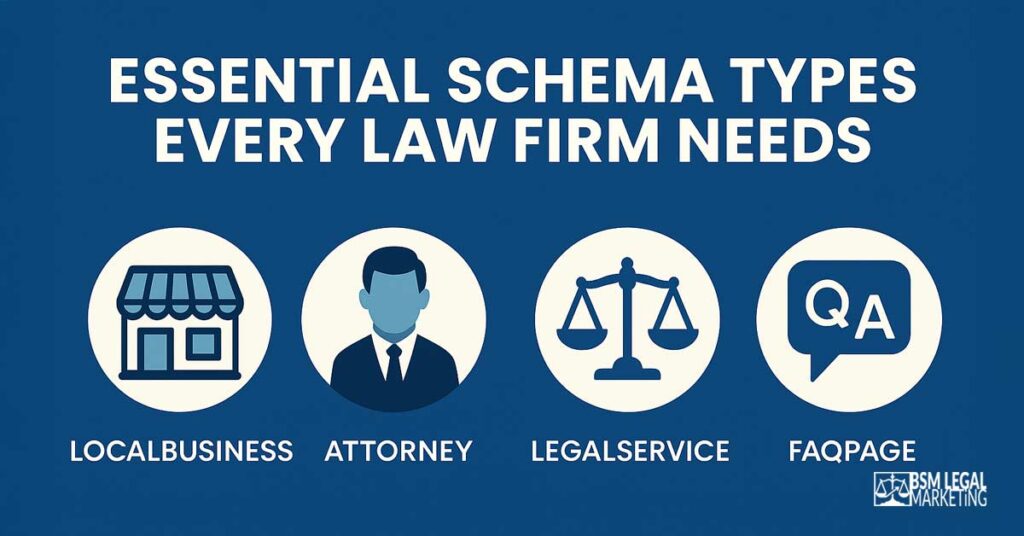
Not all schema types are relevant to law firms. You don’t need schema for recipes or movie reviews. But there are specific types of schema markup that directly impact your visibility in search results and your ability to attract local clients.
LegalService Schema: Your Primary Markup
LegalService schema (also called attorney schema) is designed specifically for attorneys and solicitors [3]. It tells search engines that you provide legal services and allows you to specify exactly what those services are.
This is your foundation. It includes:
- Your firm name
- Your practice areas (family law, personal injury, employment law, corporate law, etc.)
- The areas you serve
- Your contact information
- Your credentials and qualifications
LegalService schema connects directly to the services you offer, which Google uses to match your firm with relevant searches and local keywords. If someone searches “conveyancing solicitor,” and you’ve marked up your conveyancing service page properly, you’re more likely to appear.
LocalBusiness vs LegalService: When to Use Each Type
There’s confusion about whether to use LocalBusiness schema or LegalService schema. The answer is both [2].
LegalService is a more specific type that extends from LocalBusiness. You start with LocalBusiness properties (address, phone number, opening hours) and then add LegalService properties (areas of law, types of legal services).
Use LocalBusiness schema on your homepage (or the page you use in your GBP) and contact page to establish your physical location and NAP (Name, Address, Phone) consistency. Use LegalService schema on individual practice area pages to specify what legal work you actually do.
This dual approach gives search engines the maximum amount of structured information about your firm and is one of the most important local SEO strategies you can implement.
Person Schema: Optimizing Attorney Profile Pages
If you have individual solicitor or barrister profile pages, Person schema is essential. It allows you to mark up:
- Attorney names
- Professional credentials (admitted to the bar, law society membership)
- Education
- Areas of expertise
- Contact details
Person schema is particularly valuable for building what Google calls E-E-A-T (Experience, Expertise, Authoritativeness, Trustworthiness) [23]. When Google sees properly marked-up author credentials on legal content, it understands that qualified professionals wrote it. This is a crucial element of search engine optimization for YMYL content.
This matters because legal advice content requires demonstrated expertise to rank well. A blog post about employment law written by a qualified employment solicitor carries more weight than one with no author credentials.
Organization Schema: Multi-Location Law Firms
If your firm has multiple offices, Organization schema with subOrganization properties is critical. This allows you to:
- Establish your main headquarters
- Link branch offices as suborganizations
- Maintain consistent branding across locations
- Show the relationship between different office locations
Multi-location schema helps Google understand that your Manchester office and your Leeds office are part of the same firm or “organization”, which strengthens your overall domain authority while still allowing each location to rank for relevant local searches in their respective areas.
Review Schema: Client Testimonials (With Important Caveats)
Review schema can display star ratings in search results, which significantly increases click-through rates. However, law firms must be extremely careful here.
The Solicitors Regulation Authority (SRA) has strict rules about testimonials and client feedback. Any reviews must be genuine, not misleading, and clearly reflect the actual experience of real clients [9].
You cannot:
- Cherry-pick only positive reviews
- Edit client testimonials to make them more favourable
- Create fake reviews
- Offer incentives for positive reviews
When implementing review schema, only mark up verified reviews from genuine clients. Your local reviews strategy should focus on authentic feedback that complies with SRA guidance.
Service Schema: Practice Area-Specific Markup
Service schema allows you to mark up individual legal services with the makesOffer property. This is powerful because it lets you specify:
- Service name (e.g., “Residential Conveyancing”)
- Service description
- Service area (geographic regions you serve)
- Pricing information (if you offer fixed fees)
Each practice area page should have its own Service schema. This granular approach helps Google match specific searches with the exact services you offer. Whether you specialise in injury law, family law, or commercial litigation, service-specific schema ensures you appear for the right searches and attract clients looking for your particular expertise.
FAQ Schema: Legal Q&A Page Optimization
FAQ schema is one of the most visible types of structured data. When implemented correctly, your FAQs can appear directly in search results as expandable questions and answers.
For law firms, this is valuable because potential clients often search with questions: “How long does probate take?” or “Can I get custody of my children?” If your FAQ schema answers these questions, you can appear in position zero (the featured snippet) above all other organic results.
The key is answering real questions that people actually search for, using natural language that matches how they speak.
BreadcrumbList Schema: Site Navigation
Breadcrumb schema shows users and search engines the path through your site hierarchy. It displays in search results like this:
Home > Marketing for Law Firms > Local SEO for Lawyers > Schema Markup
This improves user experience and helps search engines understand your site structure, which influences how they categorise and rank your pages. Proper breadcrumb implementation is a key component of strong on-page SEO that helps both users and search engines navigate your law firm’s website efficiently.
Schema Types Comparison Table
| Schema Type | Primary Purpose | Best Used On | Implementation Priority | SRA Compliance Notes |
|---|---|---|---|---|
| LegalService | Define practice areas and services | Service pages, homepage | Critical | Ensure service descriptions are accurate and not misleading |
| LocalBusiness | Establish physical location and NAP | Homepage, contact page | Critical | Must match Google Business Profile exactly |
| Person | Attorney credentials and expertise | Solicitor profile pages | High | Only include verified qualifications |
| Organization | Multi-location structure | All pages (site-wide) | High | Clearly show relationship between offices |
| Review | Display star ratings | Homepage, review pages | Medium | Only genuine, unedited client reviews |
| Service | Individual service offerings | Each practice area page | High | Accurate pricing and service area information |
| FAQ | Answer common questions | FAQ pages, blog posts | Medium | Answers must be accurate and compliant |
| BreadcrumbList | Site navigation structure | All pages (site-wide) | Medium | N/A |
Step-by-Step JSON-LD Implementation: From Zero to Fully Marked Up
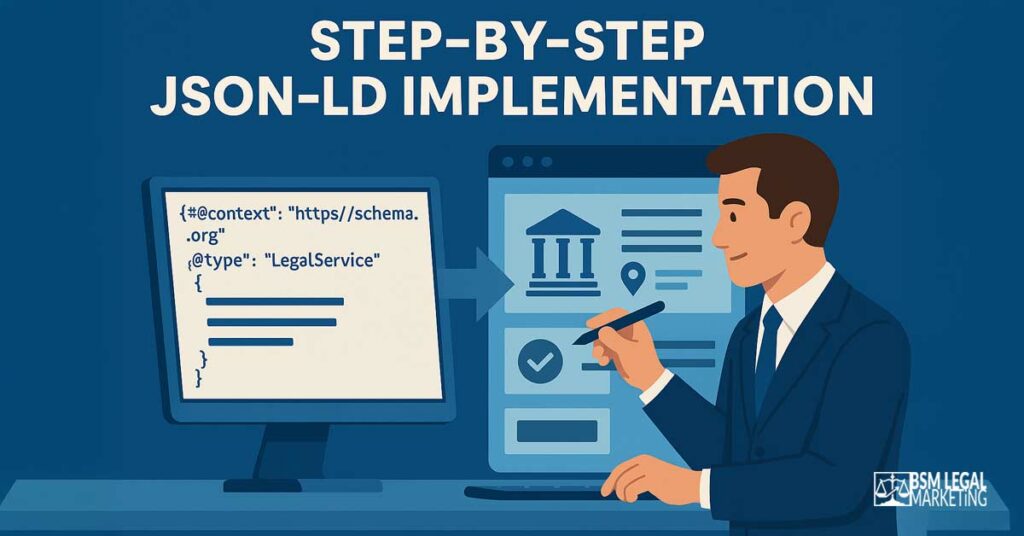
Right. Theory is done. Now let’s implement this properly.
Pre-Implementation Checklist
Before you write a single line of code, you need to ensure your foundational data is consistent across the web. Schema markup amplifies what already exists. If your existing information is inconsistent, you’ll amplify those inconsistencies. This consistency is one of the most important local search ranking factors that directly impacts your ability to rank higher in local search results.
Check these three things first:
- NAP Consistency: Your Name, Address, and Phone number must be identical on your website, Google Business Profile, and all business listings and citations. Not similar. Identical. “105 High St” and “105 High Street” are treated as different addresses by search engines. This includes local business listings and local directories where your firm appears. Consistency across these platforms is essential for law firms wanting to build credibility with search engines.
- Google Business Profile Alignment: Your schema markup should mirror the information in your Google Business Profile. If your GBP says you’re open Monday to Friday 9am-5pm, your schema should say exactly the same thing.
- Service Descriptions: Write clear, accurate descriptions of each legal service you offer before marking them up. These descriptions will go into your schema and must be SRA-compliant.
Schema Generation Tools You Can Actually Use
You don’t need to be a developer to create schema markup. Several tools can generate the code for you, these are valuable tools for law firms wanting to implement structured data without extensive technical knowledge:
- Google’s Structured Data Markup Helper: Free tool from Google that walks you through creating markup by tagging elements on your page. Good for learning but limited in scope [24].
- Schema.org Generators: Various free generators exist online. You input your information, and they output JSON-LD code. Be cautious: verify the output is correct.
- Rank Math or Yoast SEO: If you use WordPress, these plugins include schema markup generators. They’re user-friendly but sometimes create bloated or unnecessary markup.
- Technical SEO Tools: Platforms like Screaming Frog or Sitebulb can audit your existing schema and identify missing elements.
My recommendation: use a generator to create your initial markup, then have someone with technical knowledge review it before implementation. Schema markup errors can actually harm your search visibility if Google identifies them as spammy or misleading.
WordPress Implementation: Plugins vs Manual Coding
If your law firm website runs on WordPress (most do), you have two implementation options: plugins or manual code insertion [10].
Plugin Method (Easier)
Schema plugins like Rank Math, Yoast SEO Premium, Schema Pro, SEOPress or All in One SEO handle much of the work automatically. They:
- Auto-generate basic Organization schema
- Add breadcrumb schema
- Create FAQ schema from FAQ blocks
- Allow custom schema for specific pages
The limitation: plugins create generic markup that isn’t optimised for law firms. They won’t automatically add LegalService schema or properly mark up your attorney profiles. For law firms looking to maximize their SEO performance, this generic approach often falls short.
Manual Method (Better Results)
For law firms serious about local SEO, manual implementation gives you complete control. You create custom JSON-LD code and insert it into specific page templates. This approach is essential for law firms wanting to boost local visibility and implement a comprehensive law firm SEO strategy.
This requires either:
- A developer who can edit your theme files
- Use of a plugin like “Insert Headers and Footers” to add code to individual pages
- Custom fields in your page builder that allow schema injection
The manual method takes more time initially but produces far superior results because you’re creating markup specifically designed for how law firms need to appear in search results.
Multi-Location Schema: SubOrganization and BranchOf Properties
If you operate offices in multiple cities, your schema structure needs to reflect this hierarchy.
Your main organization (headquarters) uses Organization schema with complete details. Each branch office uses LocalBusiness schema with two critical additions:
- ParentOrganization property pointing to your main office
- BranchOf property establishing the relationship
This tells Google: “This Manchester office is a branch of Smith & Partners Solicitors, whose headquarters is in London.“
Each branch needs its own unique:
- Address
- Phone number
- Opening hours
- Google Business Profile (linked via the sameAs property)
Never use the same phone number or exact address for multiple locations in your schema. Google will flag this as duplicate content and may penalise all locations.
Code Placement: Header vs Body Implementation
JSON-LD schema should be placed in the <head> section of your HTML, right before the closing </head> tag [7].
This is different from older microdata formats that had to be scattered throughout your HTML body. JSON-LD can sit in one clean block at the top of your page.
If you’re using WordPress and manually adding schema, the ideal location is in your theme’s header.php file or via a plugin that lets you inject code into the header.
Never place JSON-LD schema in the body of your page. While it may still work, it’s not best practice and some crawlers may not read it correctly.
Example Schema Implementation Structure
Here’s what a basic LegalService schema looks like for a family law solicitor:
{
  "@context": "https://schema.org",
  "@type": "LegalService",
  "name": "Smith & Partners Family Law",
  "description": "Specialist family law solicitors providing divorce, child custody, and financial settlement
services across Manchester and Greater Manchester.",
  "url": "https://www.smithpartners.co.uk/family-law/",
  "telephone": "+44-161-123-4567",
  "address": {
    "@type": "PostalAddress",
    "streetAddress": "15 King Street",
    "addressLocality": "Manchester",
    "addressRegion": "Greater Manchester",
    "postalCode": "M2 6AQ",
    "addressCountry": "GB"
  },
  "geo": {
    "@type": "GeoCoordinates",
    "latitude": "53.4808",
    "longitude": "-2.2426"
  },
  "openingHours": "Mo-Fr 09:00-17:00",
  "priceRange": "££",
  "areaServed": {
    "@type": "GeoCircle",
    "geoMidpoint": {
      "@type": "GeoCoordinates",
      "latitude": "53.4808",
      "longitude": "-2.2426"
    },
    "geoRadius": "30000"
  },
  "makesOffer": {
    "@type": "Offer",
    "itemOffered": {
      "@type": "Service",
      "name": "Divorce Proceedings",
      "description": "Expert guidance through divorce proceedings including financial settlements
and child arrangements."
    }
  }
}
You wouldn’t copy this exactly, but it shows the structure. Notice how it includes geographic coordinates, service areas, and specific service offerings.
Advanced Schema Optimization: Going Beyond the Basics

Once your foundational schema is in place, these advanced tactics will give you an edge over competitors who’ve only done the bare minimum. These are the SEO tips for law firms that separate good implementations from great ones.
Attorney Profile Pages: Person Schema with Professional Credentials
Each solicitor in your firm should have their own profile page with detailed Person schema. This builds individual authority and helps with expertise signals. It’s a critical component of on-page SEO that many legal firms overlook.
Include:
- Full name and job title
- Law degree and university (education property)
- Year admitted to the bar (alumniOf property)
- Law Society membership number (if publicly shareable)
- Areas of legal expertise (knowsAbout property)
- Professional email and direct phone line
- Link to their LinkedIn profile (sameAs property)
This level of detail helps Google understand that real, qualified people work at your firm. It’s particularly powerful when these attorneys author blog posts or legal guides, as it establishes their credentials for E-E-A-T scoring. This schema helps search engines connect author expertise directly to your law firm’s content, strengthening your overall domain authority.
Service Area Markup: Geographic Targeting Without Physical Locations
Many law firms serve clients across a region without having physical offices in every town. Service area markup solves this problem and is essential for improving visibility in local search results across your entire service region. This markup helps search engines understand your local presence even when you don’t have a physical office in every location you serve.
Instead of listing an address for each town you serve, you use the areaServed property with either:
- GeoCircle: Define a radius around your office (e.g., 30 miles around Manchester)
- Named regions: List specific towns, cities, or postcodes you serve
This is critical for optimising for “near me” searches when potential clients aren’t in your exact city but are within your service area. It’s an essential component of any comprehensive SEO for legal firms looking to expand their geographic reach.
The radius method is simpler. The named regions method is more precise and can help you rank higher in local search for specific “solicitor in [town]” searches even when you don’t have an office there.
Review Integration: Connecting Third-Party Review Platforms
If you collect reviews on platforms like Trustpilot, Google Reviews, or Reviews.io, you can reference these in your schema using the aggregateRating property.
However, you must ensure:
- The reviews are genuine and unfiltered
- You’re not selectively displaying only positive reviews
- The rating accurately reflects your overall review score across all platforms
The aggregateRating property allows you to show star ratings in search results, which can increase your click-through rate significantly [2].
Use this format:
"aggregateRating": {
  "@type": "AggregateRating",
  "ratingValue": "4.8",
  "reviewCount": "127"
}
Only include this if you can demonstrate that 127 people genuinely left reviews and the average is truly 4.8. Fake or manipulated ratings violate both Google’s guidelines and SRA rules. When implemented correctly, review schema is one of the most effective SEO tips for law firms to increase click-through rates and build trust with potential clients.
Event Schema: Seminars and Webinar Markup
If your firm runs legal seminars, webinars, or client events, Event schema helps promote them in search results and Google’s event listings. This is particularly valuable for law firm marketing and building relationships with potential clients in your community.
Mark up:
- Event name and description
- Date and time
- Physical or virtual location
- Registration URL
- Price (free or paid)
This is particularly effective for marketing to potential clients who are researching legal topics. Someone searching “divorce law seminar Manchester” could discover your firm through a well-marked-up event page. Event schema also helps you appear in local content searches and connects your firm with local events in your area, strengthening your law firm’s local presence in the community.
Video Schema: Legal Educational Content
If you create video content explaining legal processes or answering common questions, VideoObject schema is essential.
YouTube videos embedded on your site should include:
- Video title
- Description
- Upload date
- Duration
- Thumbnail URL
This helps your videos appear in Google’s video carousel results and in YouTube search. Given that viewers retain 95% of a message when they watch it in video format [8], this is a powerful way to build trust before a potential client even contacts you.
Validation, Testing, and Troubleshooting: Making Sure Schema Actually Works

Implementing schema markup is pointless if you don’t verify it works. Here’s how to test and fix issues.
Google Rich Results Test: Step-by-Step Validation
Google’s Rich Results Test is your primary validation tool [13]. It shows you exactly what Google sees when it crawls your schema markup.
How to use it:
- Go to https://search.google.com/test/rich-results
- Enter your page URL or paste your JSON-LD code directly
- Click “Test URL”
- Review the results
The tool will show:
- Which rich results your page is eligible for
- Any errors in your markup
- Warnings about optional properties you haven’t included
Fix all errors before publishing. Warnings are less critical but addressing them improves your chances of appearing in rich results.
Schema Markup Validator: Error Identification and Resolution
The official Schema.org validator (validator.schema.org) provides more technical feedback than Google’s tool. It checks your markup against the full Schema.org vocabulary.
Use this when:
- Google’s tool shows errors you don’t understand
- You’re using less common schema types
- You want to validate complex nested schema
Common errors include:
Missing Required Properties: Some schema types require certain properties. LocalBusiness schema requires an address, for example. If you leave it out, the markup is invalid.
Incorrect Nesting: Properties must be structured correctly. An address property must contain a PostalAddress object with its own properties (streetAddress, postalCode, etc.). If you nest incorrectly, validators will flag it.
Wrong Data Types: If a property expects a URL and you provide plain text, it fails validation. Each property has a specific expected data type (Text, URL, Number, etc.).
Deprecated Schemas: Schema.org occasionally retires old schema types. Using deprecated markup can harm your SEO. Always check you’re using current schema types.
Google Search Console: Monitoring Structured Data Performance
Once your schema is live, Google Search Console shows you how it’s performing in the real world. This is one of the most valuable SEO tips I can give you: monitor your structured data regularly.
Go to Enhancements > Structured Data. You’ll see:
- Total number of pages with valid markup
- Any error or warning messages
- Which schema types are detected on your site
Check this weekly for the first month after implementation, then monthly thereafter. Google sometimes changes how it interprets schema, and what worked perfectly last month might suddenly show errors.
Common Errors and How to Fix Them
Error: “Missing Field ‘Address'” Solution: Every LocalBusiness or LegalService schema must include a complete address [2]. Add all PostalAddress properties: streetAddress, addressLocality, addressRegion, postalCode, and addressCountry.
Error: “Invalid URL Format” Solution: URLs must include the full protocol (https://) and domain. “www.yourfirm.co.uk” won’t work. “https://www.yourfirm.co.uk/” will.
Error: “Duplicate Markup Detected” Solution: You’ve likely got a plugin and manual code both adding schema to the same page. Disable one. Never have two sources generating the same markup.
Warning: “Recommended Property Missing” Solution: While not critical, adding recommended properties improves your chances of appearing in rich results. Common ones: opening hours, price range, and images.
Schema Validation Checklist
| Validation Step | Tool to Use | What to Check | Frequency |
|---|---|---|---|
| Syntax validation | Schema.org Validator | Code structure is correct | Before publishing |
| Rich results eligibility | Google Rich Results Test | Eligible for enhanced display | Before publishing |
| Live page testing | Google Rich Results Test (URL mode) | Markup loads correctly on live site | After publishing |
| Search Console monitoring | Google Search Console | No errors or warnings appearing | Weekly (first month), then monthly |
| NAP consistency check | Manual review | Schema matches Google Business Profile exactly | Monthly |
| Review score accuracy | Manual calculation | Aggregate ratings reflect genuine reviews | Monthly |
| Opening hours updates | Manual review | Hours current and accurate | When hours change |
WordPress Schema Implementation: Plugins, Themes, and Custom Solutions
Most UK law firm websites run on WordPress. Here’s how to implement schema properly within that ecosystem.
Plugin Comparison: Rank Math, Yoast, Schema Pro, All in One SEO
There are four major WordPress SEO plugins that handle schema markup. Here’s what each does well and where they fall short for law firms.
Rank Math
Strengths:
- Free version includes robust schema options
- LocalBusiness schema built-in
- FAQ and How-To schema blocks
- User-friendly interface
Weaknesses:
- No dedicated LegalService schema option
- Limited customisation for attorney profiles
- Generic Organization schema
Rank Math is best for: Small firms wanting free schema implementation with minimal technical skill. Particularly useful for law firms looking to improve their SEO performance on a budget.
Yoast SEO Premium
Strengths:
- Well-established and reliable
- Schema blocks for FAQ and How-To
- Integrates with Yoast Local SEO plugin for multi-location
Weaknesses:
- Requires premium version for advanced schema
- Limited legal-specific options
- Can create bloated markup if you’re not careful
Yoast SEO Premium is best for: Firms already using Yoast for SEO who want to keep everything in one plugin.
Schema Pro
Strengths:
- Most comprehensive schema plugin available
- Dedicated LegalService schema options
- Custom schema templates
- Great for complex multi-location setups
Weaknesses:
- Paid plugin (around £65/year)
- Steeper learning curve
- May be overkill for small firms
Schema Pro is best for: Mid-sized to large firms with multiple locations and complex schema needs. An excellent investment for legal firms serious about maximising local visibility and implementing a comprehensive law firm marketing strategy.
All in One SEO
Strengths:
- Good balance of features and simplicity
- Includes schema generator
- Solid local business options
Weaknesses:
- Less sophisticated than Schema Pro
- Premium features required for advanced schema
- Not specifically designed for legal sector
All in One SEO is best for: General-purpose SEO with adequate schema coverage for smaller firms.
My recommendation: Start with Rank Math’s free version to learn the basics. If you need more sophisticated legal-specific markup, invest in Schema Pro [12].
Custom Field Integration: Advanced Schema Customisation
If you have a developer, custom fields give you complete control over your schema markup. This is the method I use.
Using Advanced Custom Fields (ACF) or similar, you create input fields for [11]:
- Practice area details
- Attorney credentials
- Office-specific information
- Service descriptions
These fields then populate your JSON-LD schema automatically through your theme’s template files. This ensures consistency and makes updates easy. Your marketing team can edit practice area information in the WordPress editor, and the schema updates automatically.
This approach is particularly valuable for multi-location firms. Each office location has its own page with custom fields for address, phone, hours, etc. The schema pulls from these fields, eliminating manual coding for each location.
Theme Integration: Manual Schema Implementation
If your WordPress theme is custom-built, your developer can add schema directly to theme template files.
The advantage: complete control and no reliance on plugins that might break with updates.
The disadvantage: requires ongoing developer support for changes.
For most law firms, a hybrid approach works best: use a plugin for basic site-wide schema (Organization, WebSite, BreadcrumbList) and add custom JSON-LD code to specific page templates for practice area pages and attorney profiles. This balanced approach delivers professional results without requiring constant developer support, making it ideal for law firms looking to boost local search presence efficiently.
Measuring Schema Impact and ROI: Proving It Actually Works

You’ve implemented schema markup. Now you need to prove it’s working.
Performance Metrics: Click-Through Rates and Local Pack Appearances
Schema markup’s primary benefit is improved visibility in search results. The key metrics to track are essential for law firms measuring the success of their law firm’s online presence and overall digital marketing efforts.
Click-Through Rate (CTR)
In Google Search Console, compare your CTR before and after schema implementation. Go to Performance > Search Results and filter by date ranges. This is one of the most important local search ranking factors to monitor.
Look for:
- Overall CTR increase (target: 5-15% improvement)
- Specific increases for pages with rich results
- Featured snippet appearances (position zero)
Rich results typically improve CTR by 20-30% because they stand out visually from plain text listings [2].
Local Pack Appearances
If you appear in the Google Local Pack (those three businesses shown with a map), you’re likely getting significant traffic. This is where visibility in local search results translates directly into phone calls and enquiries. Track this by:
- Monitoring “discovery” metrics in Google Business Profile insights
- Using rank tracking tools to monitor Local Pack positions
- Noting which search terms trigger Local Pack appearances
Schema markup directly influences Local Pack rankings by providing Google with structured data about your location, services, and relevance. This is one of the most powerful tools for law firms wanting to boost your law firm’s local search performance and appear more prominently in appearing in local search results.
Impression Share
Your total impressions in search results should increase as schema helps Google understand which queries your pages are relevant for. Track this in Search Console over time.
Google Search Console Analytics: Rich Result Tracking
Search Console’s Enhancements section shows you exactly which pages have valid schema and which types of rich results you’re eligible for.
Track:
- Total pages with valid markup (should increase as you add schema to more pages)
- Error rate (should be zero)
- Rich result types detected (LocalBusiness, FAQ, BreadcrumbList, etc.)
If pages suddenly drop out of the valid category, investigate immediately. This usually means a plugin update broke your markup or manual code was accidentally deleted.
Local SEO KPIs: Phone Calls, Appointments, and Conversions
Schema markup should ultimately drive business outcomes. The metrics that actually matter are:
Phone Call Volume
Use call tracking software to attribute calls to specific marketing channels. Compare call volume before and after schema implementation. Expect a gradual increase over 2-3 months as Google’s index updates and your rich results gain visibility.
Appointment Bookings
If you offer online booking, track form submissions from organic search traffic. Filter Google Analytics by traffic source (organic) and landing page to see which practice area pages with schema are driving bookings.
Client Instructions
The end goal: more clients. Track new client instructions that came from organic search. This requires your intake process to ask “How did you find us?” or use UTM parameters in your internal tracking.
Geographic Coverage
For local landing pages with proper schema, monitor which geographic areas are sending traffic. You should see increased visibility in local areas and improved local search rankings in service areas mentioned in your areaServed property.
A well-implemented schema strategy should increase organic traffic by 15-30% within six months and drive a corresponding increase in enquiries from what is local SEO efforts [6]. This is essential for building strong local SEO that delivers measurable business results.
Schema Impact Measurement Dashboard
Create a simple spreadsheet to track these metrics monthly:
| Metric | Baseline (Before Schema) | Month 1 | Month 2 | Month 3 | Month 6 | Target |
|---|---|---|---|---|---|---|
| Organic CTR | 3.2% | 3.5% | 3.8% | 4.1% | 4.8% | 4.5%+ |
| Local Pack appearances | 12 keywords | 15 | 18 | 21 | 28 | 25+ |
| Total impressions | 8,500 | 9,100 | 9,800 | 10,500 | 12,000 | 11,000+ |
| Organic phone calls | 23 | 25 | 28 | 31 | 38 | 35+ |
| Appointment bookings | 8 | 9 | 10 | 11 | 14 | 12+ |
| New client instructions | 5 | 5 | 6 | 7 | 9 | 8+ |
This dashboard should be reviewed monthly and included in your local SEO KPIs and reporting.
Future-Proofing Your Schema: AI Search and Voice Optimization

Search is changing. Schema markup positions you for the next generation of how people find legal services.
Voice Search Preparation: Speakable Schema Considerations
Voice assistants rely heavily on structured data to answer spoken queries. When someone asks “Alexa, find me a conveyancing solicitor in Bristol,” the assistant pulls information from marked-up content.
While Speakable schema (which identifies sections of text suitable for voice assistants to read aloud) hasn’t been widely adopted yet, it’s worth understanding for future implementation.
Focus on:
- Natural language in your FAQ schema
- Concise, direct answers to common questions
- Proper formatting of opening hours and contact information
Voice search results often come from Featured Snippets and FAQ rich results, both of which rely on schema markup.
AI Search Visibility: Structured Data for Generative AI
Google’s AI Overviews [25] and other generative AI search features are changing how results appear. These AI-generated summaries often pull from structured data sources.
Law firms that have properly implemented schema are more likely to be cited in AI overviews because the data is easier for AI systems to parse and verify [14]. Schema is becoming an essential tool for law firms wanting to maintain visibility as search technology evolves.
This matters because AI overviews appear above traditional organic results. Being included in one can dramatically increase your visibility and authority.
Schema Evolution: Staying Current With Google Updates
Schema.org releases updates regularly [16]. Google changes how it interprets and displays structured data. What works today might need adjustment in six months.
To stay current:
- Subscribe to Google Search Central Blog: Google announces major changes here
- Monitor Schema.org changelog: See new types and deprecated properties
- Check Search Console monthly: Google flags outdated or problematic markup
- Review competitors quarterly: See what schema they’re implementing successfully
The law firms that maintain their schema markup perform better over time than those who implement once and forget about it.
Set a quarterly calendar reminder to review and update your schema. This 30-minute task protects your investment and keeps you ahead of competitors who aren’t monitoring changes.
Your 30 Day Schema Implementation Action Plan
You’ve read the guide. Now let’s implement it.
Week 1: Audit and Planning
Days 1-2: NAP Consistency Audit
- Document your exact Name, Address, Phone number as it appears on Google Business Profile
- Check your website, social media, and directory listings for consistency
- Create a spreadsheet listing every location where your NAP appears online
- Fix any inconsistencies before implementing schema
Days 3-4: Current Schema Audit
- Use Google’s Rich Results Test on your key pages (homepage, practice areas, contact)
- Document what schema currently exists (if any)
- Note which pages have no markup at all
- Identify errors in existing schema
Days 5-7: Schema Strategy Document
- List all pages that need schema markup (prioritize practice area pages and location pages)
- Determine which schema types each page needs
- Gather all information required for markup (addresses, phone numbers, opening hours, credentials, service descriptions)
- Ensure all information is SRA-compliant
Week 2: Implementation Begins
Days 8-10: Homepage and Organization Schema
- Implement comprehensive Organization schema on your homepage
- Add LocalBusiness schema to your contact page
- Include all required properties: address, phone, opening hours, logo, social media profiles
- Validate using Rich Results Test
Days 11-14: Practice Area Pages
- Add LegalService schema to your top 3 practice area pages
- Include service descriptions, areas served, and makesOffer properties
- Ensure each page has unique, valuable markup
- Validate each page individually
Week 3: Attorney Profiles and Advanced Markup
Days 15-17: Person Schema for Solicitor Profiles
- Add Person schema to key solicitor profile pages
- Include credentials, education, expertise areas, contact details
- Link to LinkedIn profiles using sameAs property
- Validate markup
Days 18-21: FAQ and Additional Schema Types
- Identify your most visited blog posts or FAQ pages
- Add FAQ schema to pages with question-and-answer content
- Consider adding VideoObject schema if you have embedded videos
- Add BreadcrumbList schema site-wide
Week 4: Testing, Monitoring, and Refinement
Days 22-24: Comprehensive Validation
- Test every page with schema using Rich Results Test
- Submit updated pages to Google Search Console for reindexing
- Check for errors or warnings
- Fix any issues identified
Days 25-27: Monitoring Setup
- Set up Google Search Console monitoring for structured data
- Create a baseline report of current metrics (CTR, impressions, rankings)
- Set up call tracking if not already in place
- Configure Google Analytics to track organic search conversions
Days 28-30: Documentation and Training
- Document which pages have which schema types
- Create instructions for your team on maintaining schema when updating content
- Set calendar reminders for monthly Search Console checks and quarterly schema reviews
- Brief your team on what to monitor
Ongoing Maintenance Schedule
Monthly Tasks:
- Check Google Search Console for schema errors or warnings
- Review CTR and impressions for pages with rich results
- Update schema if business information changes (hours, phone, address)
Quarterly Tasks:
- Conduct full schema audit across all pages
- Review Schema.org changelog for new types or deprecated properties
- Analyze competitor schema implementations
- Add schema to newly published practice area pages or locations
Annual Tasks:
- Comprehensive review of entire schema strategy
- Update attorney credentials and qualifications
- Review and refresh service descriptions for SRA compliance
- Assess ROI and adjust strategy based on performance data
Final Thoughts: Schema Markup as a Competitive Advantage
Schema markup isn’t optional anymore. It’s table stakes for serious law firms competing for clients online and is essential for law firms wanting to dominate their local markets.
The research is clear: 96% of people seeking legal advice start with an online search [8]. If your competitors have properly implemented schema and you haven’t, they’re appearing in rich results while you’re invisible. They’re getting the star ratings, the prominent displays, the Local Pack positions.
You’re getting what’s left over.
But here’s the opportunity. Most UK law firms still don’t have proper schema implementation. They’ve either never heard of it, think it’s too technical, or implemented basic markup years ago and forgotten about it. That creates a significant advantage for firms willing to do the work properly.
The implementation process takes time. It requires attention to detail. It demands ongoing maintenance. But the ROI is undeniable: increased visibility, higher click-through rates, more qualified enquiries, and ultimately more clients.
Start with your homepage and top practice area pages. Get those right. Then expand to location pages and solicitor profiles. Within 90 days, you’ll have a schema foundation that positions you ahead of most competitors.
The law firms dominating local search results in 2025/2026 aren’t just the biggest or the oldest. They’re the ones speaking Google’s language through structured data, making it easy for search engines to understand, categorize, and prominently display their services to people actively looking for legal help.
Make schema markup a priority. The clients finding your competitors instead of you are worth the effort.
Comprehensive FAQ: Your Schema Markup Questions Answered
What is schema markup and why does it matter for law firms?
Schema markup is structured data code you add to your website that helps search engines understand what your content means. For law firms, it matters because it improves your visibility in search results, helps you appear in Google’s Local Pack, and makes your listings more attractive with star ratings, opening hours, and practice area information displayed directly in search results.
Which schema types are most important for solicitors and attorneys?
The essential schema types for law firms are LegalService (for practice areas), LocalBusiness (for your physical location), Person (for attorney profiles), Organization (for your firm structure), and FAQ (for question-and-answer content). These cover the core information search engines need to understand your firm and display it in relevant searches. For specialist areas like injury law or corporate law practices, service-specific schema becomes even more critical.
How do I add JSON-LD schema to my WordPress website?
You can add JSON-LD schema to WordPress using SEO plugins like Rank Math, Yoast SEO Premium, or Schema Pro, which provide user-friendly interfaces for generating markup. Alternatively, you can manually add JSON-LD code to your theme’s header.php file or use a plugin like “Insert Headers and Footers” to add custom code to specific pages. The manual method offers more control but requires technical knowledge. This is critical for enhancing your law firm’s website performance in search results.
Do I need separate schema for each office location?
Yes, if you have multiple offices, each location needs its own schema markup with unique address, phone number, and opening hours. Use Organization schema for your headquarters and LocalBusiness schema with parentOrganization properties for branch offices. This tells Google that all locations are part of the same firm while allowing each office to rank independently for local searches in their area.
How long does it take to see results from schema markup implementation?
Initial improvements often appear within 2-4 weeks as Google recrawls your site and processes the new markup. However, full impact typically takes 2-3 months. You should see gradual increases in click-through rates, Local Pack appearances, and organic traffic during this period. Schema is a long-term investment rather than a quick fix, but one that consistently delivers for law firms looking to boost your law firm’s online performance and appearing in local search results more prominently.
Can schema markup help me rank higher in Google search results?
Schema markup is not a direct ranking factor, but it significantly influences your visibility and click-through rate. While it won’t automatically move you from page three to page one, it helps you stand out on the page where you already rank. The increased clicks and engagement can indirectly improve rankings over time. More importantly, schema helps you dominate rich results and the Local Pack, which is crucial for achieving higher in local search results and attracting more local clients.
What’s the difference between LocalBusiness and LegalService schema?
LocalBusiness schema establishes your basic business information like address, phone number, and opening hours. LegalService schema is more specific and extends from LocalBusiness, allowing you to add legal-specific properties like practice areas, types of cases you handle, and legal credentials. Most law firms should use both: LocalBusiness on your homepage and contact page, and LegalService on practice area pages. This dual approach is fundamental to SEO for legal firms and helps establish your law firm’s local authority.
How do I validate my schema markup to ensure it’s working correctly?
Use Google’s Rich Results Test (search.google.com/test/rich-results) to validate your markup. Enter your page URL or paste your JSON-LD code directly. The tool will show any errors, warnings, or which rich results your page is eligible for. Also monitor Google Search Console’s Enhancements section for ongoing validation and error reporting. Fix all errors before considering your implementation complete.
Are there legal or regulatory issues with schema markup for law firms?
Yes, UK law firms must ensure all schema markup complies with Solicitors Regulation Authority (SRA) rules. Your marked-up information must be accurate and not misleading. Review schema is particularly sensitive—only mark up genuine, unedited client reviews. Don’t make false claims about success rates or credentials in your markup. Essentially, if you can’t say it in regular marketing, don’t say it in schema.
What should I do if Google Search Console shows schema errors?
First, identify which pages have errors using Search Console’s Enhancements report. Common fixes include adding missing required properties (like addresses), correcting URL formats, fixing data type mismatches, and removing duplicate markup. Use Google’s Rich Results Test to debug specific pages. If errors persist, check whether a plugin update broke your markup or if manual code was accidentally edited or deleted.
Can I use schema markup to display star ratings in search results?
Yes, using aggregateRating schema allows star ratings to appear in search results, which can significantly increase click-through rates. However, law firms must ensure these ratings accurately reflect genuine client reviews and comply with SRA guidance. You cannot selectively display only positive reviews or manipulate ratings. The rating must represent your true average across all reviews, and you should be able to prove this if challenged.
How does schema markup help with voice search optimization?
Voice assistants rely heavily on structured data to answer spoken queries. Schema markup makes it easier for voice search devices to extract and read information about your firm. FAQ schema is particularly effective because voice assistants often read these answers directly. Ensure your markup uses natural language and provides concise, direct answers to common questions people ask about legal services.
Should I mark up every page on my law firm website?
Focus on high-priority pages first: homepage (Organization schema), contact page (LocalBusiness), practice area pages (LegalService), and solicitor profiles (Person). Don’t overdo it. Blog posts might only need Article schema and Author markup. Not every page requires extensive schema—prioritize pages that drive client enquiries and appear in search results for commercial intent keywords.
What’s the connection between schema markup and Google Business Profile?
Schema markup should mirror the information in your Google Business Profile exactly. Google uses both sources to verify your business details. Inconsistencies between your schema and GBP can reduce trust and harm local rankings. Ensure your NAP (Name, Address, Phone), opening hours, and service categories match perfectly across both. Schema amplifies your GBP data in organic search results and is essential for boost local search performance across all your online properties.
How often should I update my schema markup?
Review your schema quarterly to ensure it’s current and error-free. Update immediately when you change opening hours, add new office locations, modify services, or hire new solicitors. Also check monthly in Google Search Console for any new errors or warnings. Schema.org occasionally deprecates old types or adds new properties, so staying current is essential for maintaining optimal performance.
Do I need technical skills to implement schema markup?
Basic schema implementation is possible without technical skills using WordPress plugins. However, advanced legal-specific schema benefits significantly from technical knowledge or developer support. You can start with plugins and upgrade to custom implementation as your needs grow. At minimum, you should understand how to validate markup and identify errors, even if a developer writes the actual code.
What’s the ROI of implementing schema markup for law firms?
Well-implemented schema typically increases organic click-through rates by 20-30%, improves Local Pack visibility, and drives more qualified enquiries. Most law firms see a 15-30% increase in organic traffic within six months. The cost is relatively low (one-time implementation plus quarterly maintenance), making it one of the highest-ROI technical SEO investments available. The key is measuring phone calls and client instructions, not just rankings. For law firm’s looking to enhance your law firm’s online performance, schema markup delivers measurable returns.
Can schema markup hurt my SEO if implemented incorrectly?
Yes, poorly implemented schema can cause problems [17]. Google may ignore invalid markup, penalise spammy markup (like fake reviews), or flag your site for manual review if it detects manipulation. Common issues include marking up content that’s not visible to users, creating fake review schemas, or using deprecated schema types. Always validate before publishing and never attempt to mislead search engines with false information.
How does schema markup work with local link building strategies?
Schema markup and local link building work together synergistically [3]. Your schema provides structured information about your location and services, while local backlinks signal authority and relevance. When local websites link to your marked-up pages, it amplifies the trust signals. Schema also makes your content more attractive to link from because it displays better in search results, potentially earning more natural links. Together, they form a powerful foundation for strong local SEO that helps law firms dominate their geographic markets.
What happens if I change my firm’s address or phone number?
Update your schema markup immediately alongside your Google Business Profile. Use Google Search Console to request reindexing of affected pages so Google processes the changes quickly. Consistency is crucial, update every location where your NAP appears online, including directory listings. Failing to update schema when business details change creates inconsistency that can harm local rankings and confuse potential clients.
Evidence & Metrics
LocalBusiness (Google)
Required: name, address
Recommended: telephone, url, geo, openingHoursSpecification, more. Use the most specific subtype.
LegalService (Schema.org)
Subtype of LocalBusiness
Designed for law firms; pairs with Service where relevant.
Reviews eligibility
No self-serving stars
LocalBusiness pages can’t use their own reviews for star snippets; follow Review Snippet policy.
FAQ/QAPage
Extra surfaces
Use FAQPage or QAPage where appropriate; validate; eligibility isn’t guaranteed.
General guidelines
Eligibility ≠ ranking
Structured data enables rich results; manual actions remove eligibility but don’t change core ranking.
Hours & holidays
OpeningHours & Special
Use OpeningHoursSpecification and specialOpeningHoursSpecification for exceptions.
Implementation & Targets
| What to implement | How to measure | Target / note |
|---|---|---|
| LegalService per location | Valid items in Rich Results report | All offices valid; recheck monthly |
| Core fields | Presence of name, address, telephone, url, geo, hours | 100% filled for each office |
| Entity linking | sameAs to GBP/regulator/social | ≥3 authoritative profiles |
| Reviews policy | Compliance with Review Snippet rules | No self-serving stars |
| FAQ/Q&A | Valid FAQ/QAPage items | Eligibility achieved; monitor impressions |
Key References
References
- The Law Society – Legal sector continues to grow despite rising costs – https://todayswillsandprobate.co.uk/legal-sector-continues-to-grow-despite-rising-costs-the-law-society/
- Rankings.io – Schema markup for local SEO – https://rankings.io/blog/schema-markup-for-local-seo/
- Robben Media – Local business schema markup for law firm SEO – https://robbenmedia.com/top-guide-local-business-schema-markup-for-law-firm-seo-success/
- Big Dog ICT – Schema markup for legal services – https://bigdog ict.com/seo/semantic-search-engine-optimization/schema/
- SEO Profy – Local SEO for lawyers – https://seoprofy.com/blog/local-seo-for-lawyers/
- Lafleur Marketing – Schema markup and SEO – https://lafleur.marketing/blog/schema-markup-and-seo
- Brain Labs Digital – How to implement structured data with JSON-LD – https://www.brainlabsdigital.com/how-to-implement-structured-data-with-json-ld/
- Grow Law – Legal marketing statistics – https://growlaw.co/blog/legal-marketing-statistics
- SRA – Marketing your services to members of the public – https://www.sra.org.uk/solicitors/guidance/marketing-public/
- Kinsta – Schema markup WordPress guide – https://kinsta.com/blog/schema-markup-wordpress/
- WPBeginner – How to add schema markup in WordPress – https://www.wpbeginner.com/wp-tutorials/how-to-add-schema-markup-in-wordpress-and-woocommerce/
- WP Schema – WordPress schema plugin – https://wpschema.com
- Rich Results Test – Google Search Console – https://search.google.com/test/rich-results
- The EDI Group – Schema markup for AI search – https://www.theedigital.com/blog/schema-markup-ai-search
- Top Dog Legal Marketing – Law firm schema – https://topdoglegalmarketing.com/law-firm-schema/
- Google Developers – Organization structured data – https://developers.google.com/search/docs/appearance/structured-data/organization
- Justia – SEO mistakes costing law firms clients – https://onward.justia.com/10-seo-mistakes-that-are-costing-your-law-firm-clients/
- What Is YMYL & How Does It Affect SEO? Semrush Blog, https://www.semrush.com/blog/ymyl/
- Introduction to structured data markup in Google Search, https://developers.google.com/search/docs/appearance/structured-data/intro-structured-data
- Getting started with schema.org using Microdata, https://schema.org/docs/gs.html
- Data model, https://schema.org/docs/datamodel.html
- JSON-LD, https://wordlift.io/blog/en/entity/json-ld/
- Google E-E-A-T: What It Is & How It Affects SEO, Semrush Blog, https://www.semrush.com/blog/eeat/
- Structured Data Markup Helper, https://www.google.co.uk/webmasters/markup-helper/u/0/
- Google’s AI Overviews, https://search.google/ways-to-search/ai-overviews/